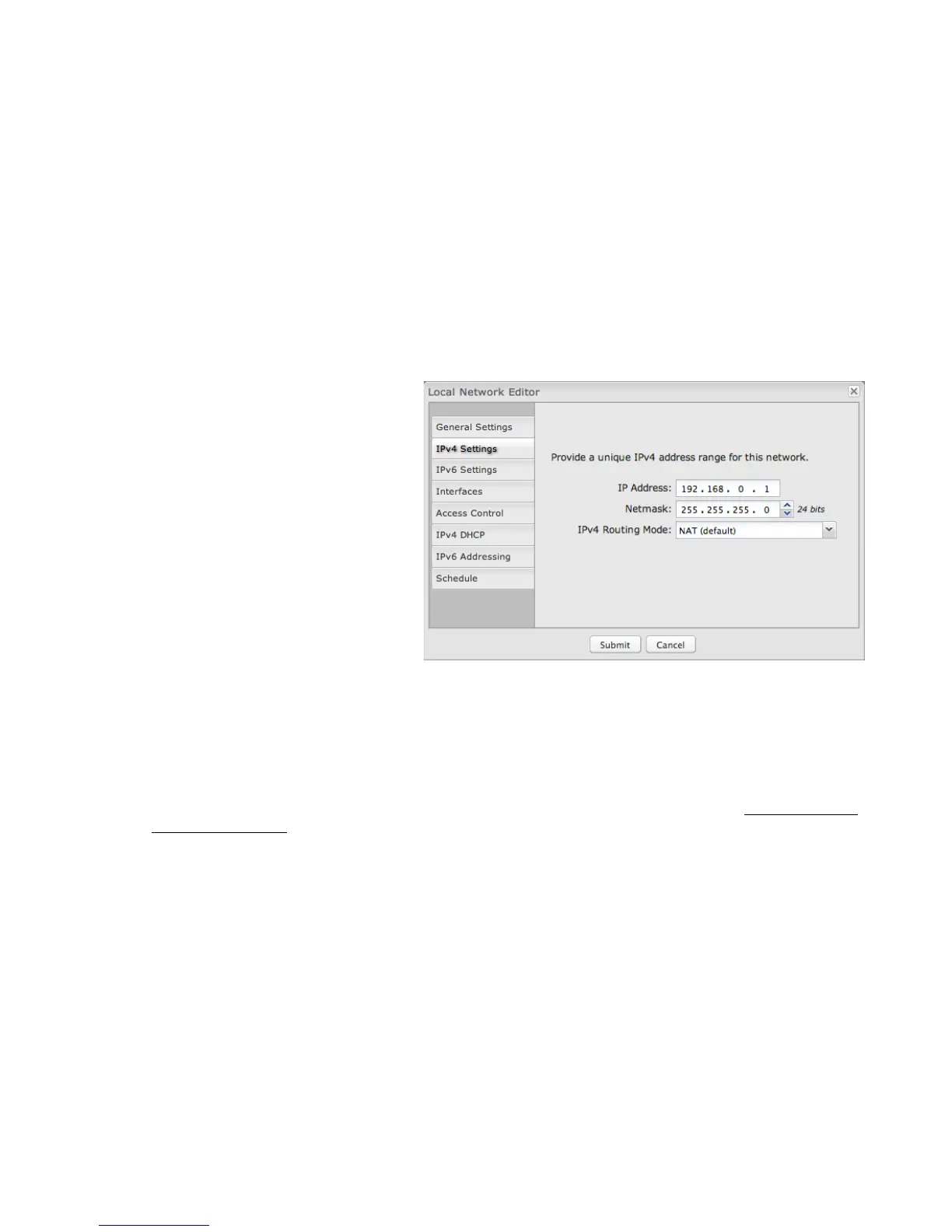
IPV4 SETTINGS
IP Address: This is the address used by the router
for local area network communication. Changes to
this parameter may require a restart to computers on
this network.
Each network must have a distinct IP address. Most
users will want an address from one of the following
private IP ranges:
• 10.0.0.1 - 10.255.255.1
• 172.16.0.1 - 172.31.255.1
• 192.168.0.1 - 192.168.255.1
NOTE: The final number does not have to be 1, but it is a
simple, logical convention for routers that leaves higher
numbers free for other devices.
Netmask: (Default: 255.255.255.0) Controls how
many IP addresses can be used in this network. The
default value allows for 254 IP addresses.
IPv4 Routing Mode: (Default: NAT) Each network can use a unique routing mode to connect to the Internet and other local
networks. NAT is desirable for most configurations. Select from the following options in the dropdown list:
• NAT: Network Address Translation hides private IP addresses behind the router's IP address. This is the simplest and most
common choice for users, because NAT does the translation work for you.
• Standard: NAT-less routing. If you select Standard, you must separately configure your IP addresses so that they will be
publically accessible. Typically you will not select this option unless you have a specific reason to bypass NAT.
• IP Passthrough: IP Passthrough passes the IP address given by a cellular modem (WAN) through the router to Ethernet
(LAN). The easiest way to enable IP Passthrough mode is with the IP Passthrough Setup Wizard (see Getting Started →
IP Passthrough Setup).
• Disabled: Disable this network.















 To Next Page