USER MANUAL V1.0
WWW.CRAFTBOT.COM
4. FIRST STEPS
Switch on CraftBot by the ON / OFF button located on the back part of the appliance.
The LCD panel on the front will light up.
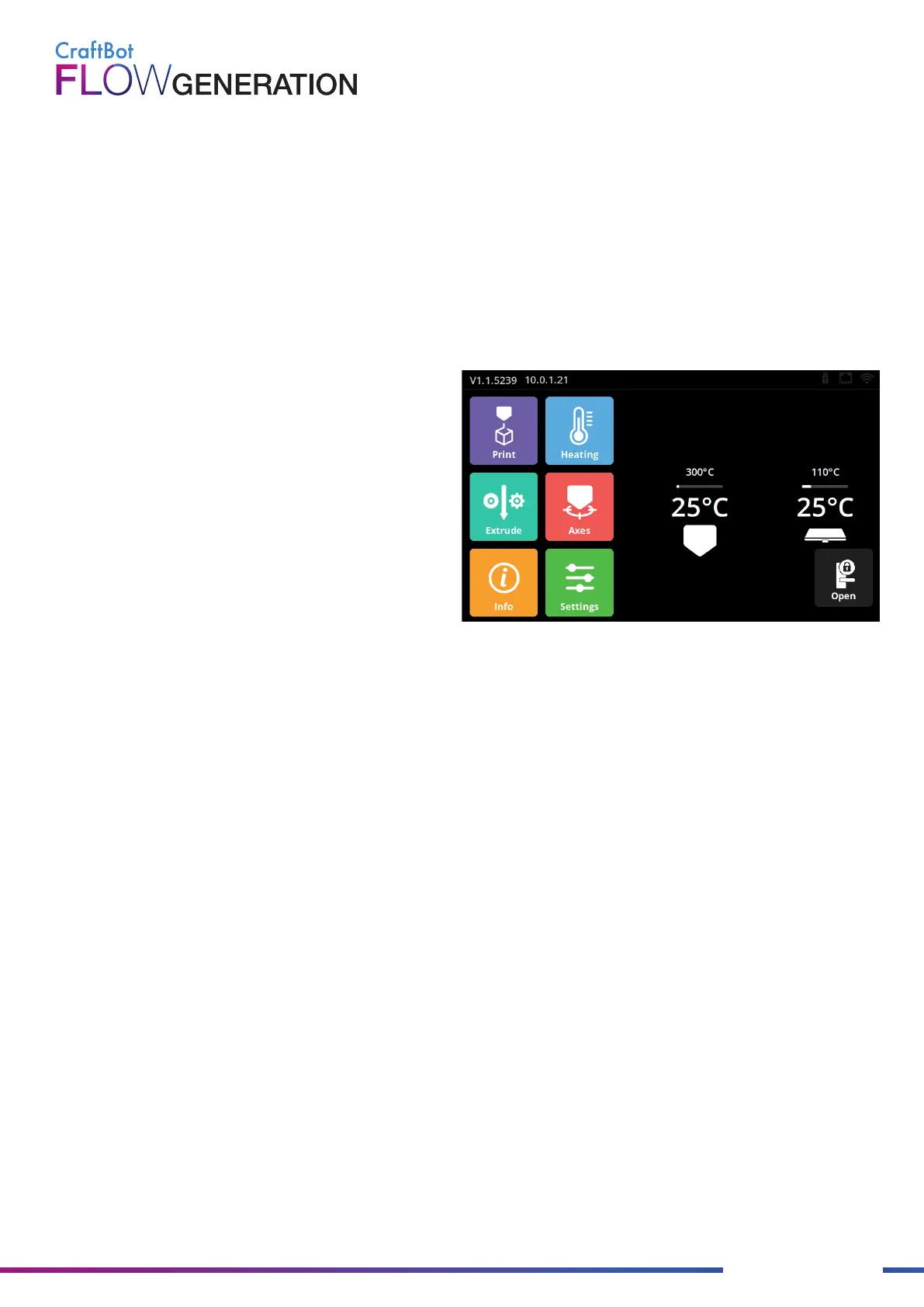
Navigation on the touch screen is possible by touching icons.
On the main screen, you can preheat the head to a preset temperature by pressing the print head or build-plate
icon.
4.1. Switching on the Appliance
In the top bar we can see:
• HMI version number
• The IP address if the printer is connected to a
network
• The Wi-Fi icon when the printer is connected to a
Wi-Fi network
• The flash drive icon if there is a flash drive in the
machine
The first time you use the printer, the printer wizard will appear. The wizard will walk you through the steps needed
to get the most out of your printer:
• Language
• Time zone
• Firmware update
• Network (LAN/Wi-Fi)
• Calibration
If you are unsure, you can always run the printer wizard from the setting menu.
4.2. Printer wizard


 To Next Page