USER GUIDE
15
6. OTHER MENU SETTINGS
6.1. Adjusting the lighting
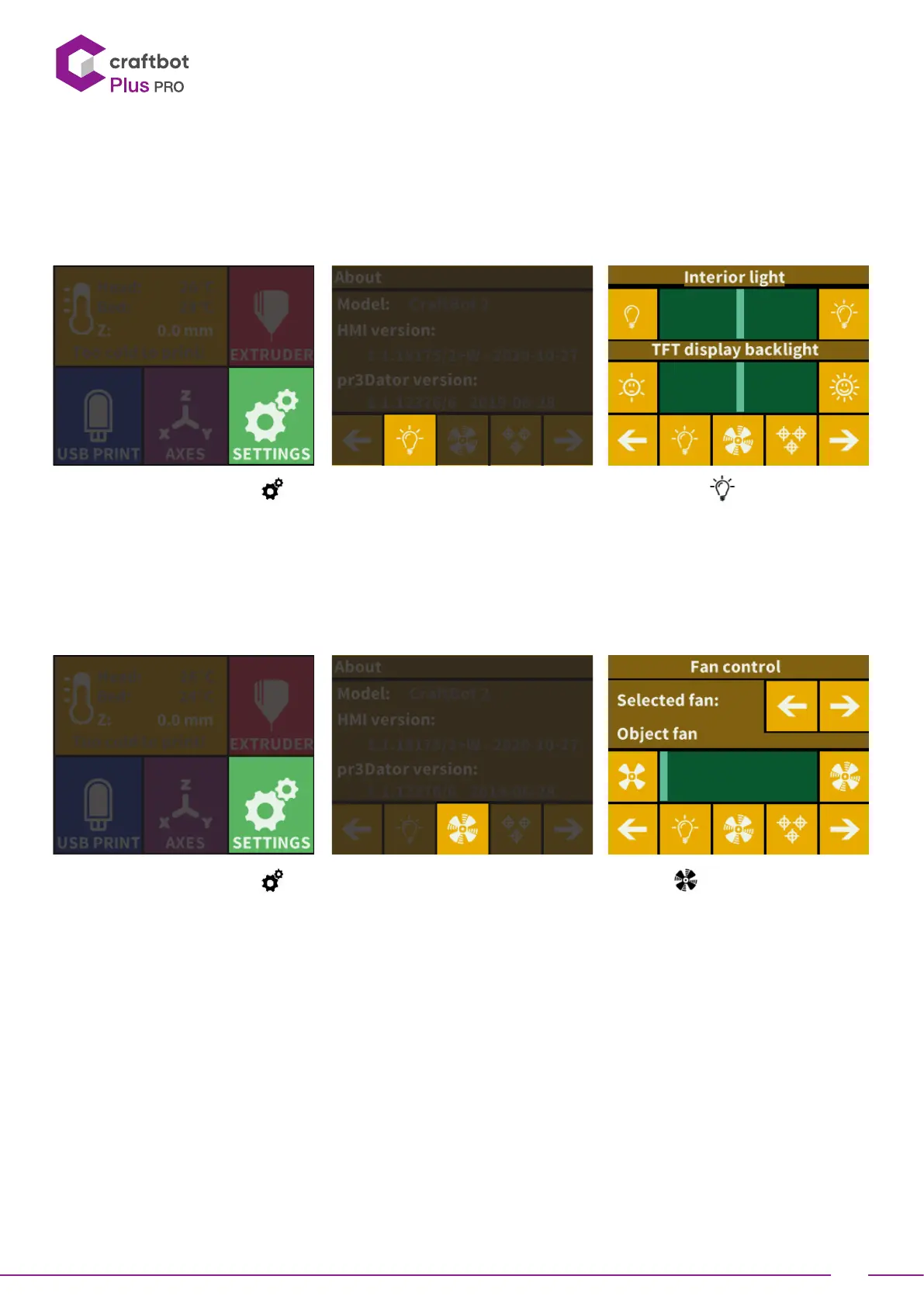
• Select the Seings menu on the LCD screen and on page 1. Select the Lighting seings icon.
• You will see a variance pop up on the screen: two different touchscreen sliders.
• Adjusting the lighting: Move the line from the le to the right to vary the brightness of either the interior LED
lighting of the CraBot or the LCD display backlighting.
6.2. Activating the fans
• Select the Seings menu on the LCD screen and on page 1. Select the Fan control icon.
• Switch between 3 fans (object, extruder, case ) by pressing arrows. The name of the fan to be controlled is displayed
at the top of the screen.
The fan Control: Activate and deactivate the fans before or during printing to match your preferences. Extruder and
case fan seings automatically reset to default aer 60 seconds.


 To Next Page