USER GUIDE
8
4. USING THE CRAFTBOT PRINTER
4.1. Switching the appliance
• Switch on CraBot by the ON/OFF buon located on the back part of the
appliance.
• The LCD panel on the front will light up.
4.2. Seing the language
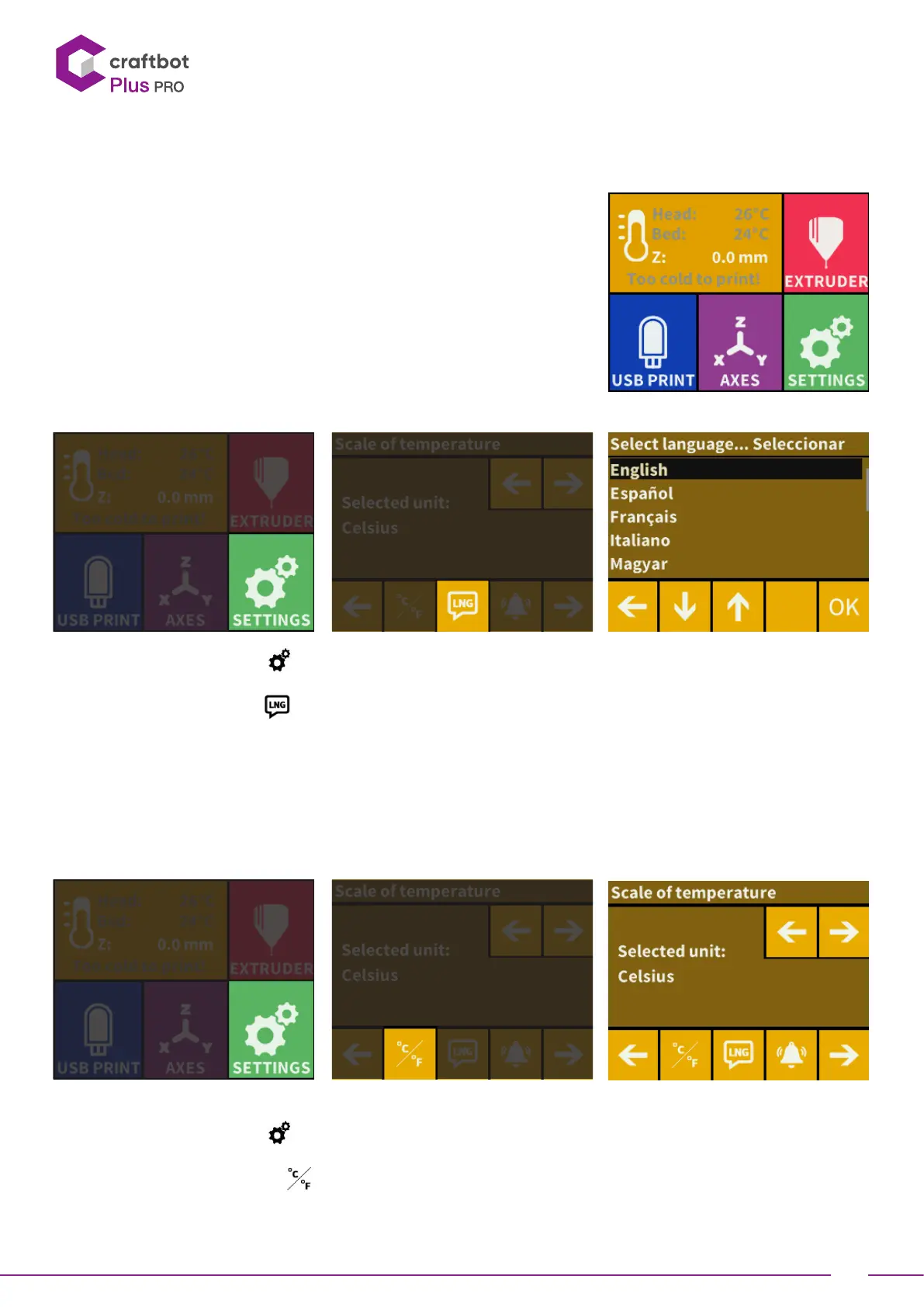
• Select the Seings menu on the LCD screen and go to the page 2
with right arrow icon.
• Select the language icon
.
• Select the desired language.
• Confirm selection.
• Use the le arrow to get back to the main menu.
4.3. Select the scale of temperature
•
•
Temperature can be displayed in Celsius or Fahrenheit
• Select the Seings menu on the LCD screen and go to the page 2
with right arrow icon.
• Select the temperature icon
.
• The unit can be changed by pressing the right or le arrows.
• • Use the le arrow to get back to the main menu.


 To Next Page