10
The band saw should run smoothly with
little or no vibration. If you observe that
the band saw vibrates excessively or
makes too much noise, shut off
immediately.
CUTTING ANGLE
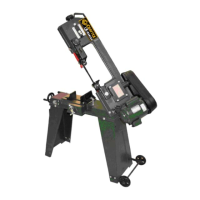
The CX117 has a locking turret with a
range of 0° to 60°.
TO SET THE ANGLE OF CUT:
Raise the band saw head to the highest
position and lock in place.
Figure-5 Feed ON/OFF valve
Move the swivel lock handle shown in
figure-6, to the left and rotate the
headstock until the scale indicates the
angle that you need.
Figure-6 Swivel lock handle
Move back the swivel lock handle to the
right to lock the headstock in place. The
cutting angle is not set.
WORKSTOP
The CX117 comes with an adjustable
workstop.
TO INSTALL THE WORKSTOP:
Thread the workstop rod in the base and
secure it by tightening the jam nut.
Slide the workstop onto the rod. See
figure-7.
Figure-7 Installing the workstop
Slide the workstop to the desired position
from the blade and tighten the nut.
WARNING!
Do not make any adjustments while
the machine is running. Turn the
machine OFF and un-plug from the
power source before making any
adjustments. Failure to do so may
cause serious personal injury.


 To Next Page
 Loading...