-*-PCUT-*-
*CT- 630*
Ver 4. 11a
0012345
Wait......
While the cutting plotter is working,
press RESET ,the machine will
reinitialize and reset.
“”
Working state
5.3.6 System setting and storage
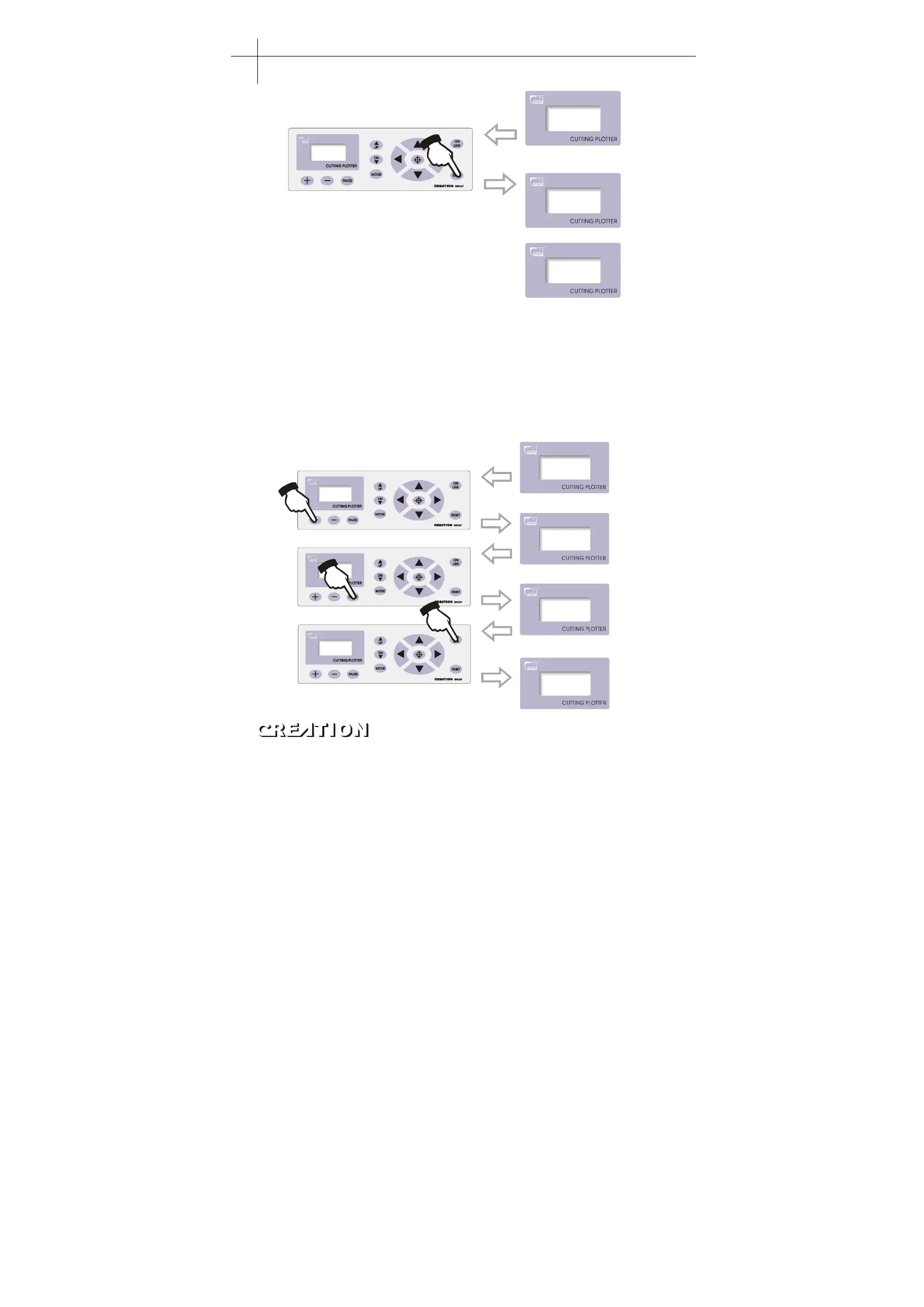
While in off-line state, press“MODE”button to set system parameters, the LCD will
display the options of system parameters. Press“ MODE”button to show the options in
urn, press“ +”or“ -”to change the parameter value of selected option. When the
setting is completed, press“PAUSE” to escape setting mode, press“ ON LINE” and
save the setting value。
For example, in speed setting state:
Cut Speed
+ 70 -
Cut Speed
+ 80 -
X=+00000
Y=+00000
On L i n e . . .
Press + to change the speed value
Press PAUSE to back to offline
state
Press ON LINE to save present
system parameters.
“”
“”
“”
Cutting plotter PCUT CT operating instructions PCUT SERIES USER
‘
S MANUAL
16



 To Next Page