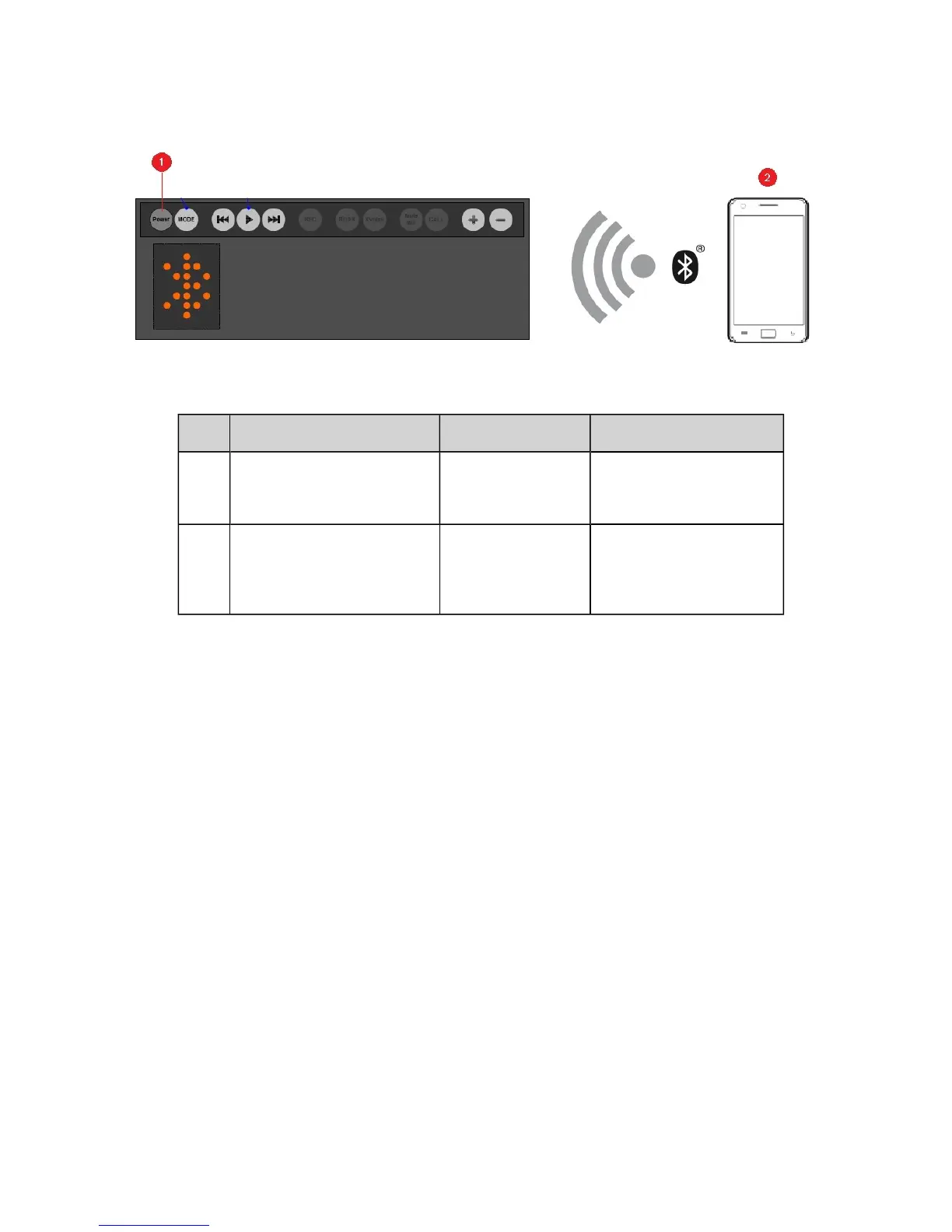
Manual Bluetooth pairing
To enjoy your favorite music from your Bluetooth devices, simply follow these steps to connect them.
Action LEDStatus Status
1 Press and hold the Power /
Bluetooth button for 2
seconds.
Bluetooth mode
(blinking)
Pairing mode.
Ready to be paired with
new device.
2 Turn ON the Bluetooth fea-
ture on your device.
Search and select "Creative
iRoar".
Bluetooth mode Ready to stream music.
Note:
Bluetooth pairing between these devices may vary depending upon the model type. Consult your
device’s manual on how to pair.
The iRoar supports dual connections, which means you can connect it to two Bluetoothdevices at the
same time. If you wish to connect it with a third device, you should disconnect the existing two
devices first before connecting it to the other device.
Setting Up Your Audio Device 10










 To Next Page