Setting Up Your Audio Device
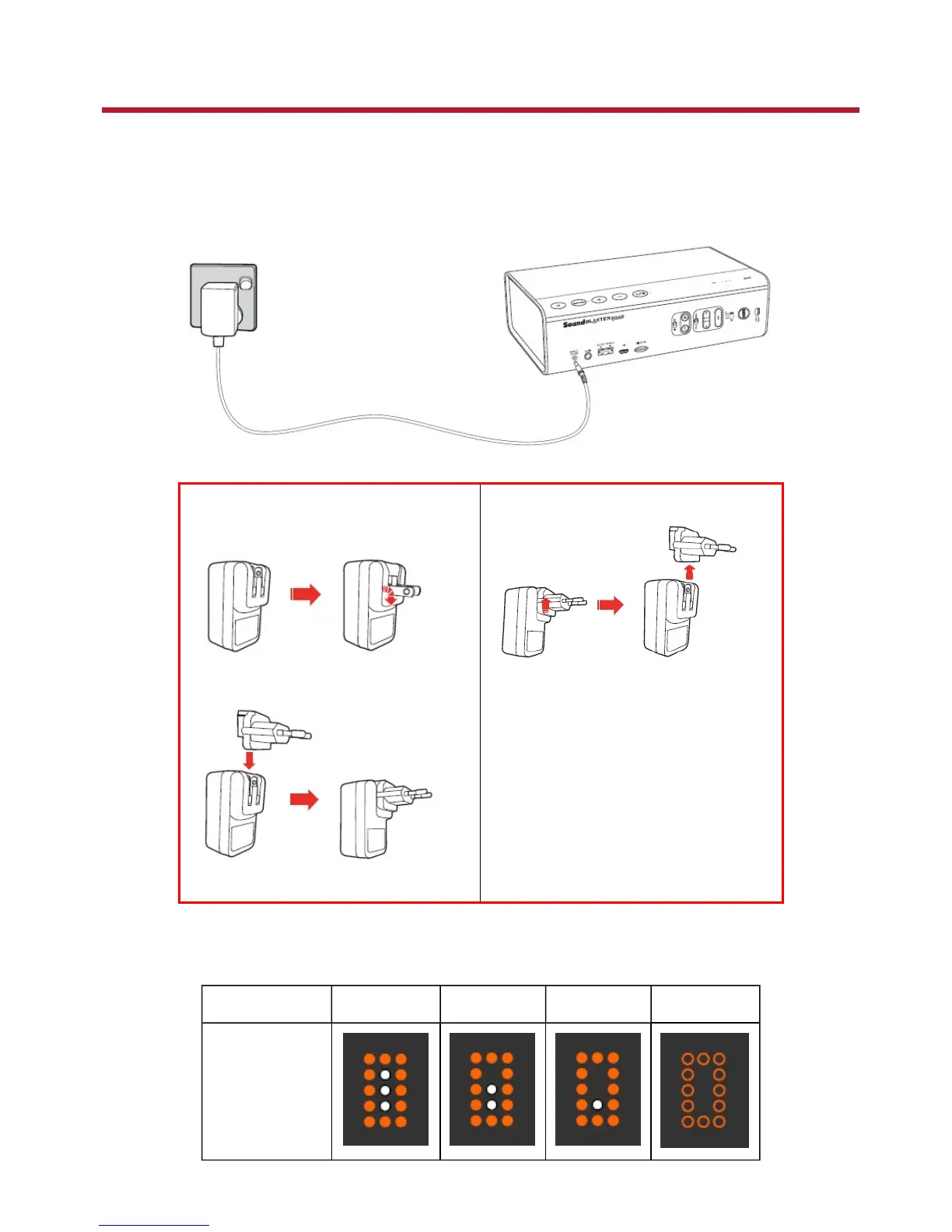
Step 1:Charge Your iRoar
iRoar comes with a built-in rechargeable battery that provides up to 16 hours of playtime when fully
charged. Charge the speaker with the supplied power adapter for at least 3 hours before use. Each
subsequent charge cycle takes around 2.5 hours.
Assembling the Power Adapter
l US, Japan & Taiwan
l Europe
Removing Adapter Plug Head
Note:
Supplied interchangeable plugs may
vary according to region and country.
To check battery status, press and hold the MODE button for 2 seconds.
The battery level will then be displayed on the Dot Matrix LED.
Battery Level 100% - 70% 70% - 40% 40% - 10% 10% - 0%
DotMatrix LED
Setting Up Your Audio Device 6










 To Next Page