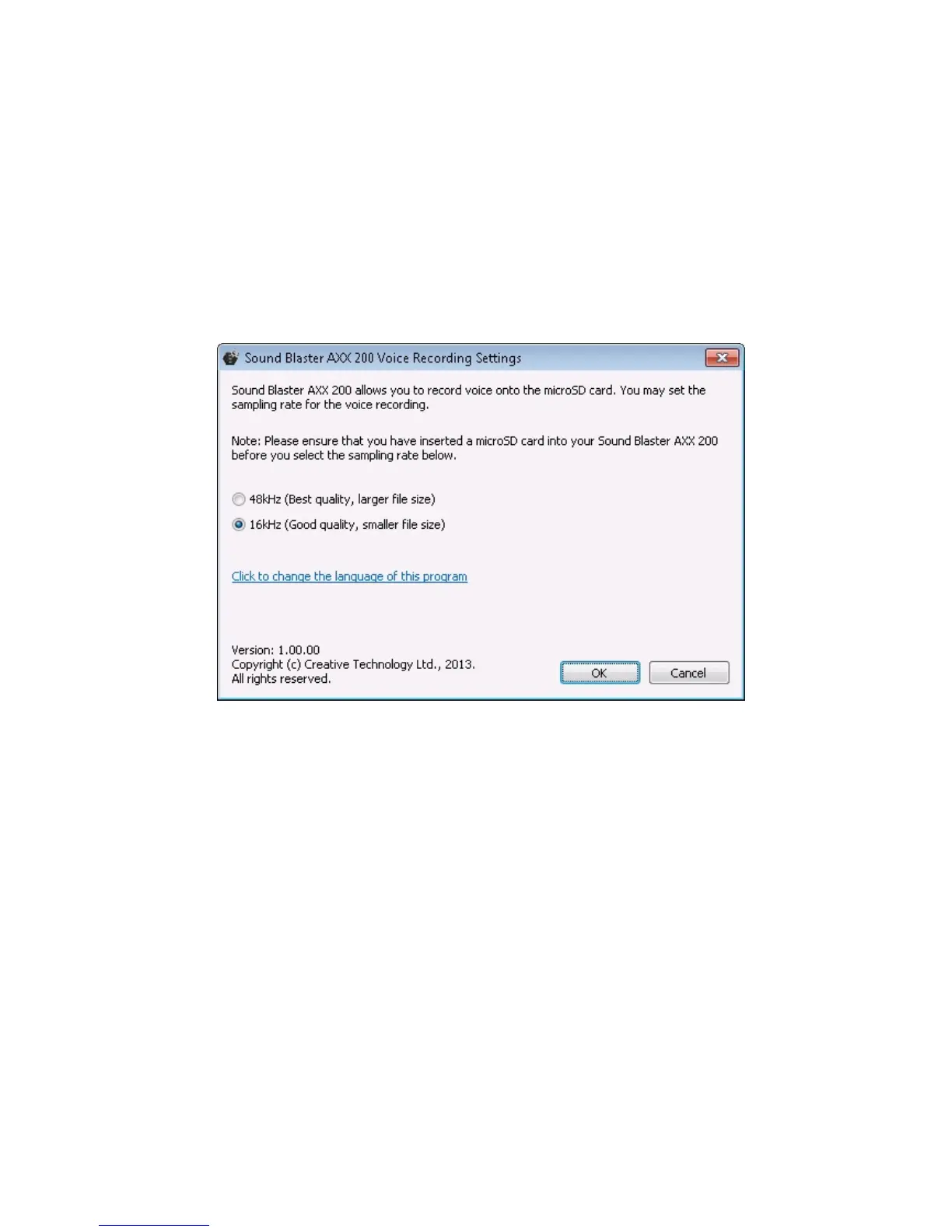
Voice Recording Settings
The Creative iRoar Voice Recording Settings is an application that provides you the option to set
the sampling rate of your iRoar to enhance your music and voice recordings.
The default sampling rate at 16kHz is designed to record longer voice recording sessions (e.g.
meetings, conference calls, etc.) and to avoid large file sizes. You can switch it to 48kHz, which is ideal
for shorter, higher quality Karaoke music recording.
This utility is available for download on the www.creative.com/support site. Install and launch the
Creative iRoar Voice Recording Settings.
Note:
Ensure that the iRoar is connected to the computer with a microSD card inserted into it.
1. Select your desired music / voice recording sampling rate.
l 48kHz - recommended for music recordings for better quality audio
l 16kHz - recommended for voice recordings (e.g. meetings, conference calls, etc.)
2. Click OK to save the new sampling rate.
Using the Creative Software Suite 34










 To Next Page