9
SET button
To select a menu option, press the Set button.
In Record mode, the Set button is also the Flash
button.
Function keys
Use the Function keys to select menu options.
Standard/Macro switch
To select Standard or Macro mode in Record and
Movie mode, move the Standard/Macro switch
upwards or downwards as shown below. In Macro
mode, the Macro LED lights up green.
Standard mode
Macro mode
Note:
• In Macro mode, your camera’s flash is automatically
disabled.
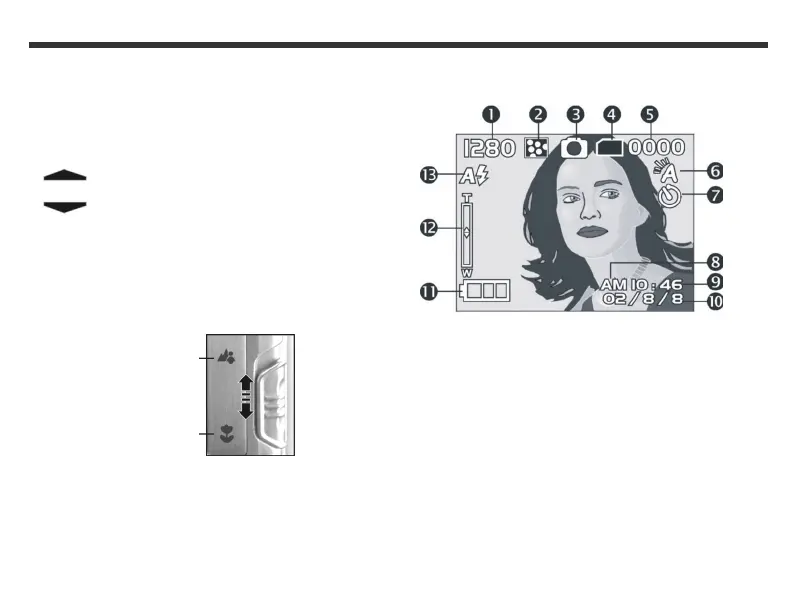
LCD screen icons
(1) Image resolution
(2) Image quality
(3) Current working mode
(4) Memory status
(5) Number of shots
(6) White balance display
(7) Self-timer photography
(8) Morning/afternoon display
(9) Time display
(10) Date display
(11) Remaining battery power
(12) Zoom indicator
(13) Flash light status



 To Next Page