25
Record Mode
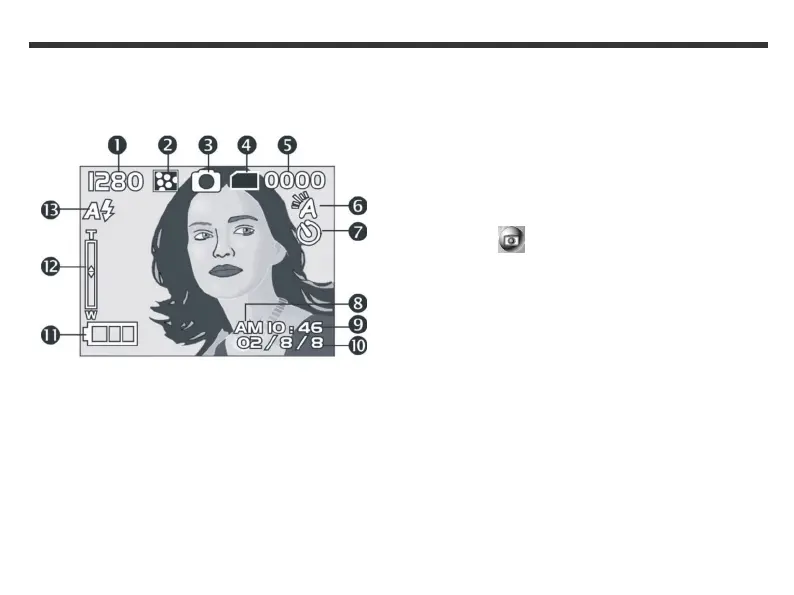
Use Record mode to take photos. In Record mode,
the icons below are displayed on your LCD.
(1) Image resolution
(2) Image quality
(3) Current working mode
(4) Memory status
(5) Number of shots
(6) White balance display
(7) Self-timer photography
(8) Morning/afternoon display
(9) Time display
(10) Date display
(11) Remaining battery power
(12) Zoom indicator
(13) Flash light status
To take a photo
1. Press and hold the Mode button until the Mode
menu appears on the LCD screen.
2. Use the Function keys to select the Record
Mode icon.
3. Press the Shutter button down fully to take a
photo.



 To Next Page