24
Movie Mode
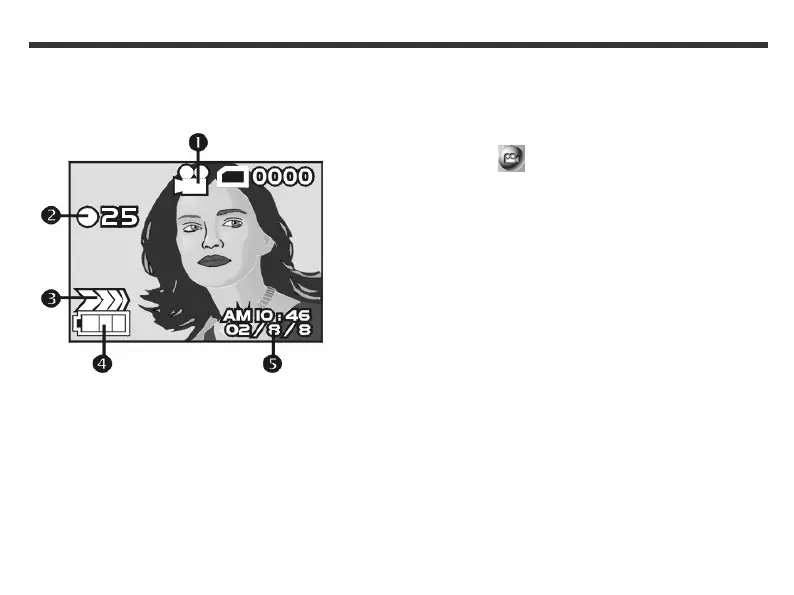
Use Movie mode to record a video. In Movie mode,
the icons below are displayed on your LCD.
(1) Movie Mode icon
(2) Recorded video (seconds)
(3) Recording status
(4) Remaining battery power
(5) Date display
To record a video
1. Press and hold the Mode button until the Mode
menu appears on the LCD screen.
2. Use the Function keys to select the Movie
Mode icon.
3. Press the Set button.
4. Press the Shutter button down fully to start
recording a video.
5. To stop the recording, release the Shutter
button.
Notes:
• This camera does not record audio.
• If a “Memory full” message appears on the LCD
screen, the recording is stopped.
• The maximum recording time depends on the
amount of available free space.
• When recording a video, the digital zoom function is
automatically disabled.



 To Next Page