16
Play Mode
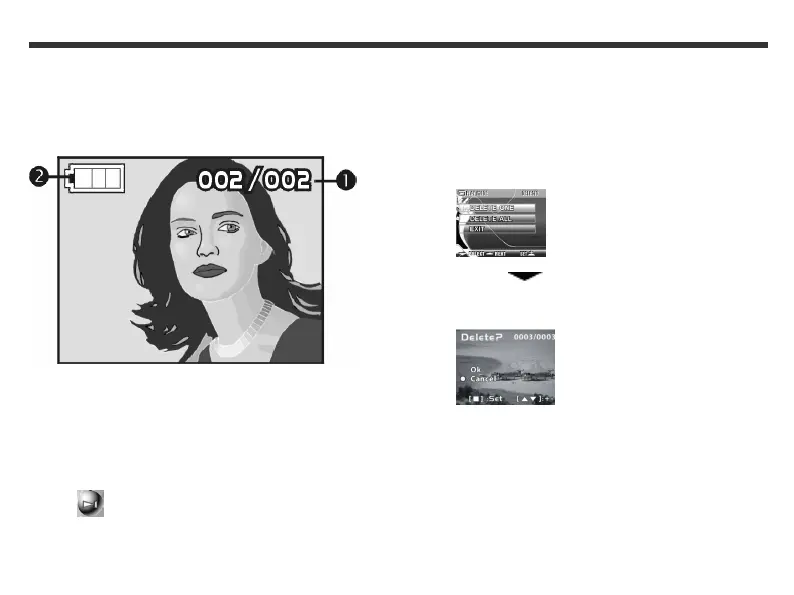
In Play mode, you can delete photos, view photos as a
slideshow and print photos. In Play mode, the icons
below are displayed on your LCD.
(1) Current photo/Number of photos taken
(2) Remaining battery power
To enter Play mode
1. Press and hold the Mode button until the Mode
menu appears on the LCD screen.
2. Use the Function keys to select the Play Mode
icon.
3. Press the Set button to enter Play mode.
To delete a photo
1. In Play mode, use the Function keys to go to
the photo that you want to delete.
2. Press the Set button. The following LCD screen
appears.
3. Use the Function key to select Delete
One and press the Set button. The following LCD
screen appears.
4. Use the Function keys to select OK.
5. Press the Set button.
3. Using the Modes



 To Next Page