Jumpers
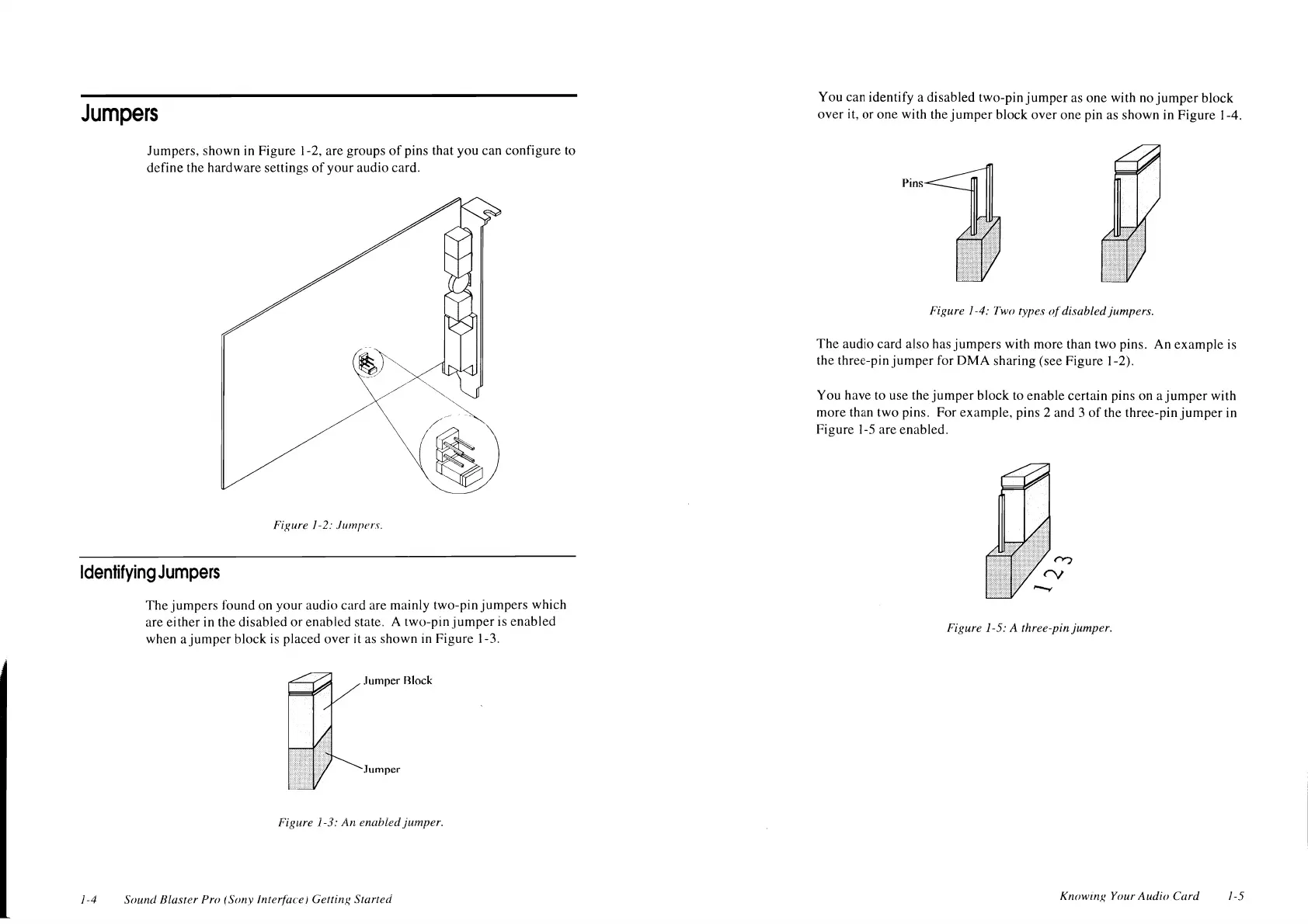
Jumpers, shown in Figure
1-2,
are groups
of
pins that you can configure to
define the hardware settings
of
your audio card.
Figure 1-2:
Jumpers.
Identifying
Jumpers
1-4
The jumpers found on your audio card are mainly two-pin jumpers which
are either in the disabled or enabled state. A two-pin
jumper
is enabled
when a jumper block is placed over it as shown in Figure 1-3 .
.lumper Rlock
Jumper
Figure 1-3:
An
enabled jumper.
Sound Blaster
Pro (Sony Interface! Getting Started
You
can identify a disabled two-pin jumper as one with no
jumper
block
over it, or one with the
jumper
block over one pin as shown in Figure 1-4.
Pins
Figure 1-4: Two types
of
disabled jumpers.
The audio card also has jumpers with more than two pins. An example is
the three-pin
jumper
for
OMA
sharing (see Figure
1-2).
You have to use the jumper block
to
enable certain pins on a
jumper
with
more than two pins. For example, pins 2 and 3
of
the three-pin
jumper
in
Figure 1-5 are enabled.
Figure 1-5: A three-pin jumper.
Knowing
Your
Audio Card 1-5












 To Next Page