⚫ If you twist it to activate, dive computer
will show Start Status display with
backlight on for 30 seconds and resume
Sleep Status.
⚫ If you press any key to activate, dive
computer will resume Start Status.
4. Auto Shutdown Status:
Once you cease operating the dive computer
24 under Sleep Status, dive computer will
enter Auto Shutdown Status automatically and
shutdown completely.
⚫ If you need to operate dive computer,
please press Power Button to activate.
WARNING:
Before any dive, always check your dive
computer status, complete related settings
and go back to Watch mode for dive
computer to automatically start when you
enter water.
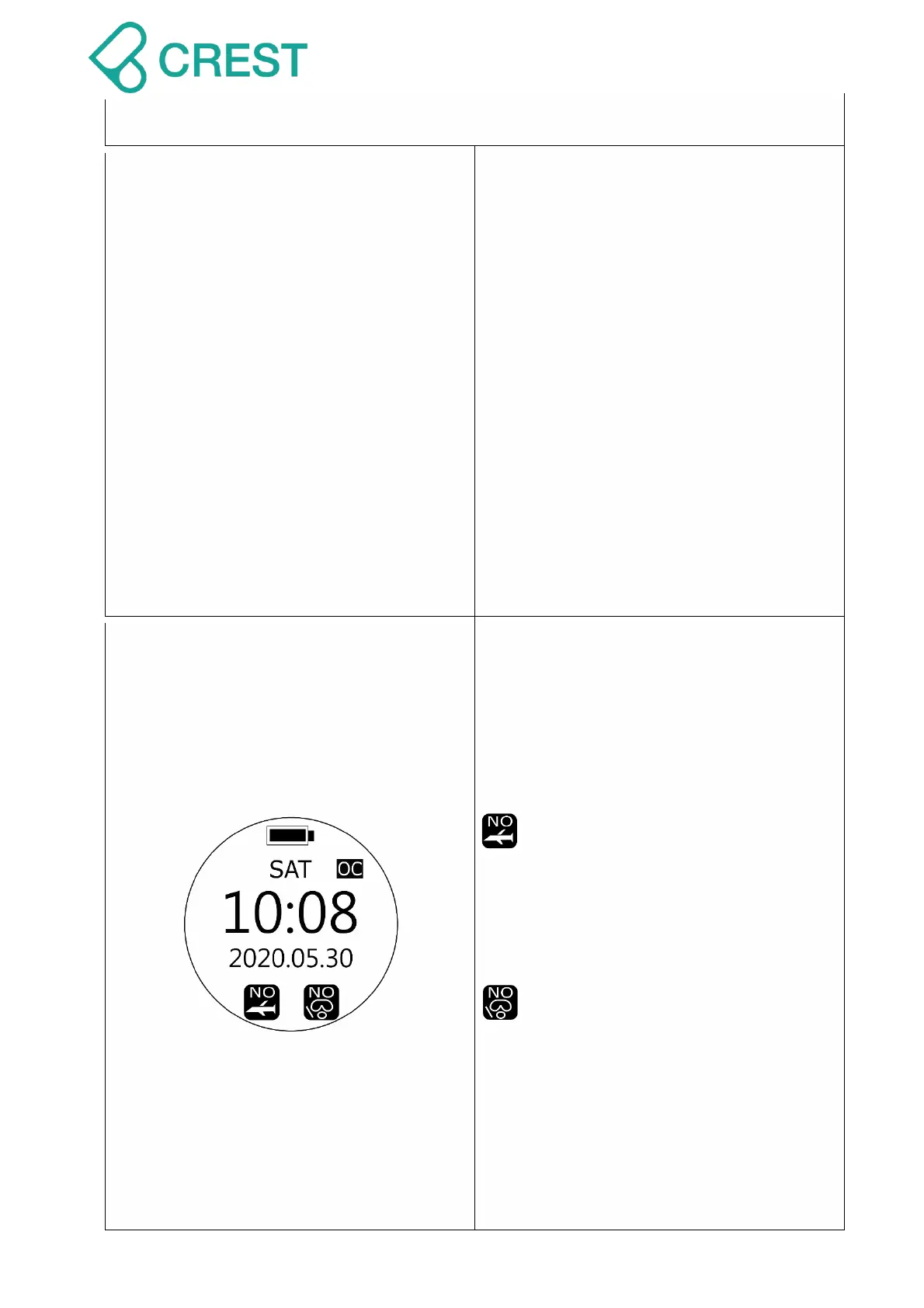
Description: No FLY Reminder and No
Diving Reminder
Displays No FLY Reminder and NO DIVE
Reminder after dives executed under
SCUBA Mode and/or GAUGE Mode.
1. No FLY Reminder: if this icon
shows on the screen, DO NOT
take flights or head to high
altitude environment. For exact
No FLY recommendation time
countdown please check Dive
History page.
2. NO DIVE Reminder: if this icon
shows on the screen, DO NOT
continue diving activities. For
exact NO DIVE recommendation
time countdown please check
Dive History page.
Scuba Mode, Freediving Mode
and Plan Mode will remain
locked during NO DIVE
recommendation time
countdown.



 To Next Page