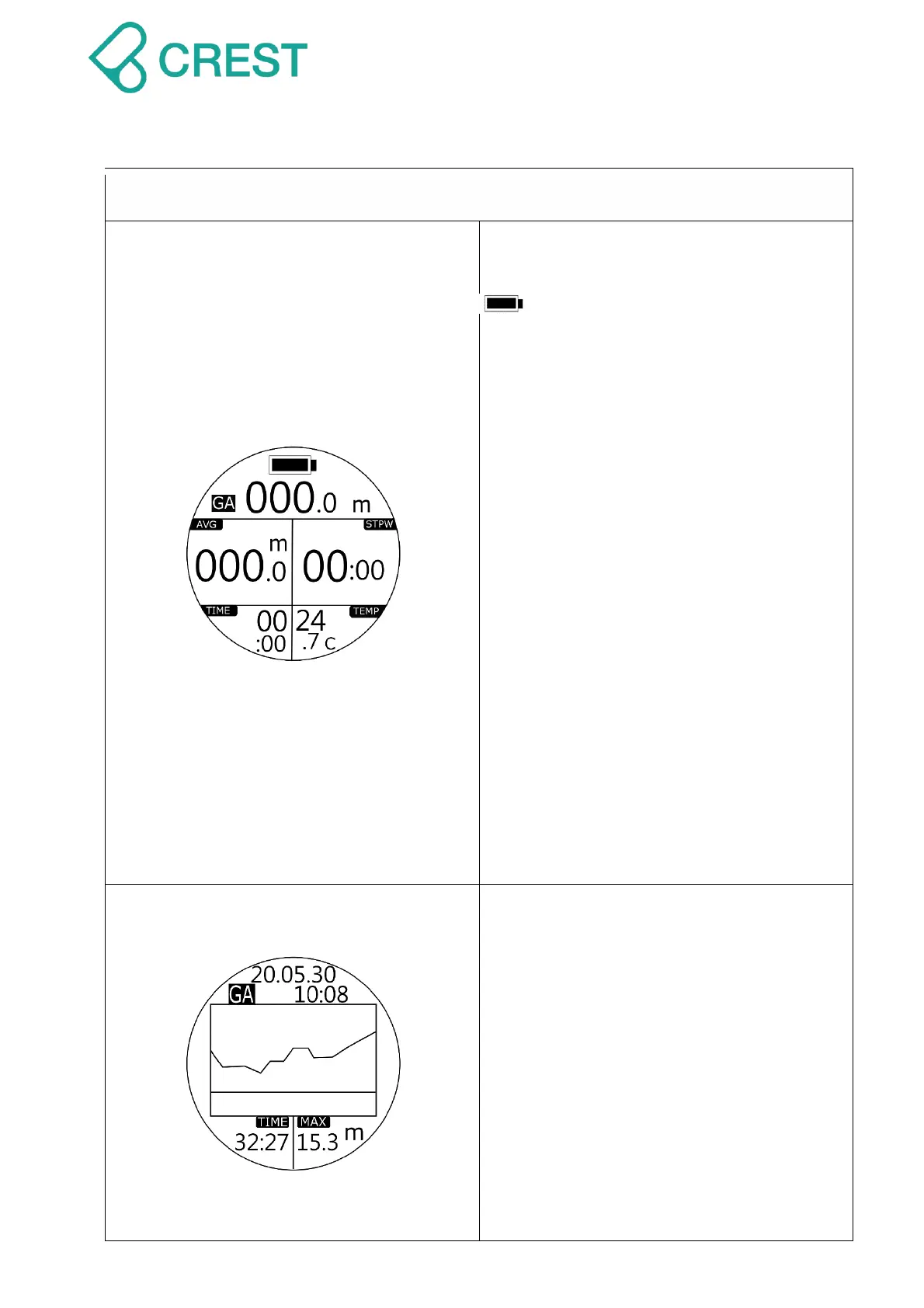
Description: Gauge Mode
GA: Gauge Mode
: Battery Indication
000.0m: Current depth
AVG: Average Depth
STPW: Stop Watch
TIME: Dive Time
TEMP: Water temperature.
To Access:
Press DOWN Button to calculate
Average Depth automatically. STPW will
Return-to-Zero and start calculating dive
time in current stage.
WARNING:
Gauge Mode is only a bottom timer. It
will only indicate the depth and time
parameters during a dive. It will NOT
provide NDL calculations. Please make
sure you receive proper training and
have adequate dive equipment with you.
You will need to execute dive plans
strictly and understand the related risks
using Gauge Mode.
Description: Gauge Mode End
Screen will display Dive Profile of current
dive for approximately 1 minute.
No FLY Reminder and NO DIVE
Reminder countdown will start with 24
hours after dives executed under
GAUGE Mode.
To check entire history dive logs and dive
profiles, go to LOG Mode and press UP
Button / DOWN Button to scroll up or down
to view other logs, press MODE Button to
select designated dive and press UP
Button to see dive profile.



 To Next Page