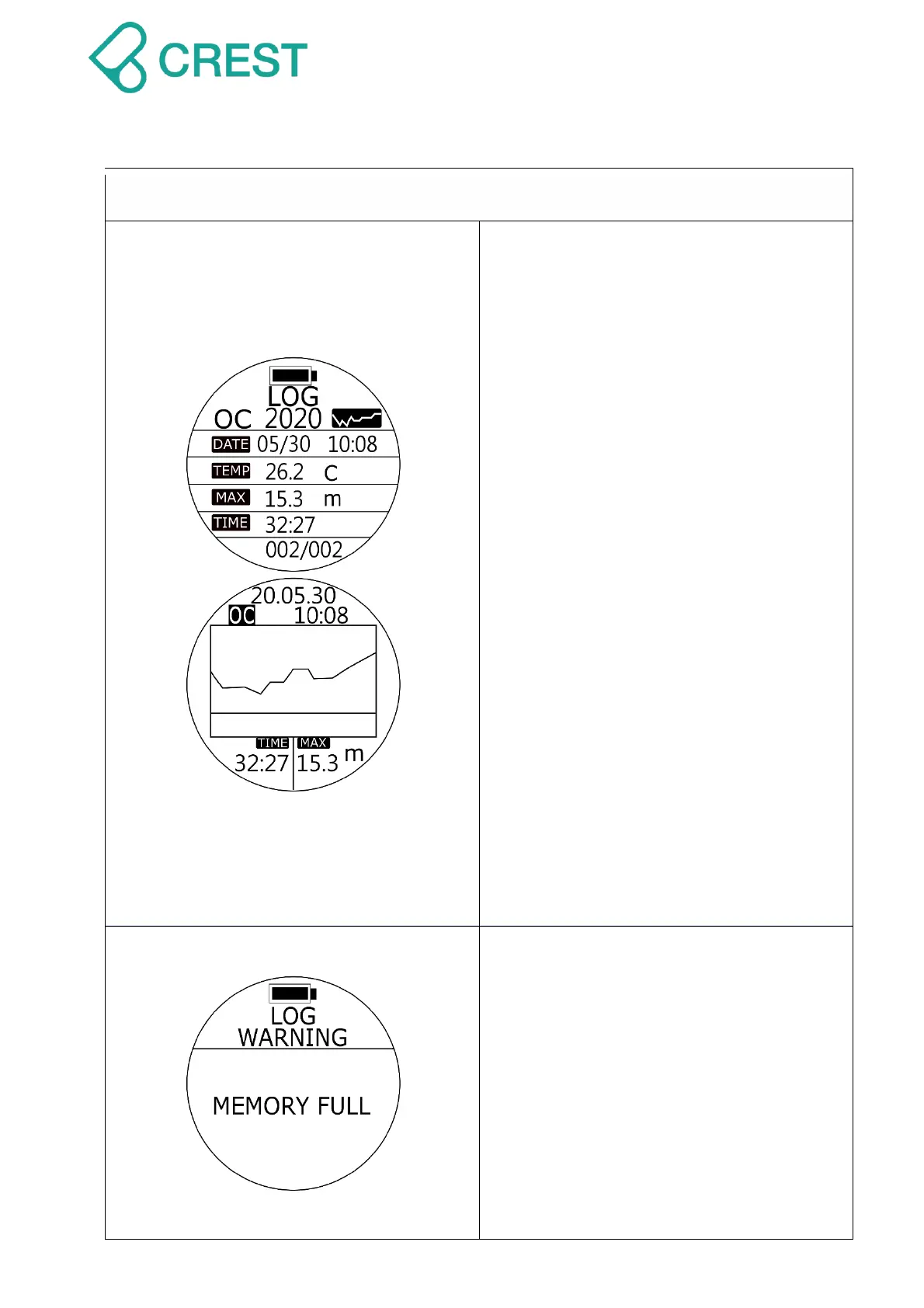
Description: Log Mode
OC: Open Circuit Scuba mode diving
history
FD: Freediving mode diving history
GA: Gauge mode diving history
DATE: Dive Date and Time
TEMP:Water temperature
MAX:Max depth of the dive
TIME: Dive time
002 / 002 : Log Number / Total Logs
They are in chronological order.
Estimate Memory Capacity: *950 dives.
(*Estimated dives storage calculation is
based on 45 minutes to 50 minutes per
dive. Actual dive log capacity may vary
based on executed dive time.)
To Access:
To check entire history dive logs and dive
profiles, go to LOG Mode and press UP
Button / DOWN Button to scroll up or down
to view other logs, press MODE Button to
select designated dive and press UP
Button to see dive profile.
Description: Log Mode – Memory Full
Memory Full: Storage capacity of dive
computer has been reached.
Note:
Scuba Mode, Freediving Mode and
Gauge Mode will remain locked under
this display image.
To unlock:
Step 1: Download Application service –
Dive Story and sync your dive logs.



 To Next Page