53 • AirMedia® Series 3 Receivers Product Manual — Doc. 9020C
l
Signage in Standby: Turns on the display when the AirMedia receiver goes to sleep based
on occupancy.
l
Signage as a Background: Turns on the display along with the calendar, date/time, system
name, connection info, and branding portions of the display.
NOTES:
o
When the Signage as a Background toggle is turned on, the Enable Custom
Backgrounds setting (described in Connected Devices (on page46)) is disabled.
o
For best practices on configuring the AirMedia receiver for use with Appspace, visit
docs.appspace.com.
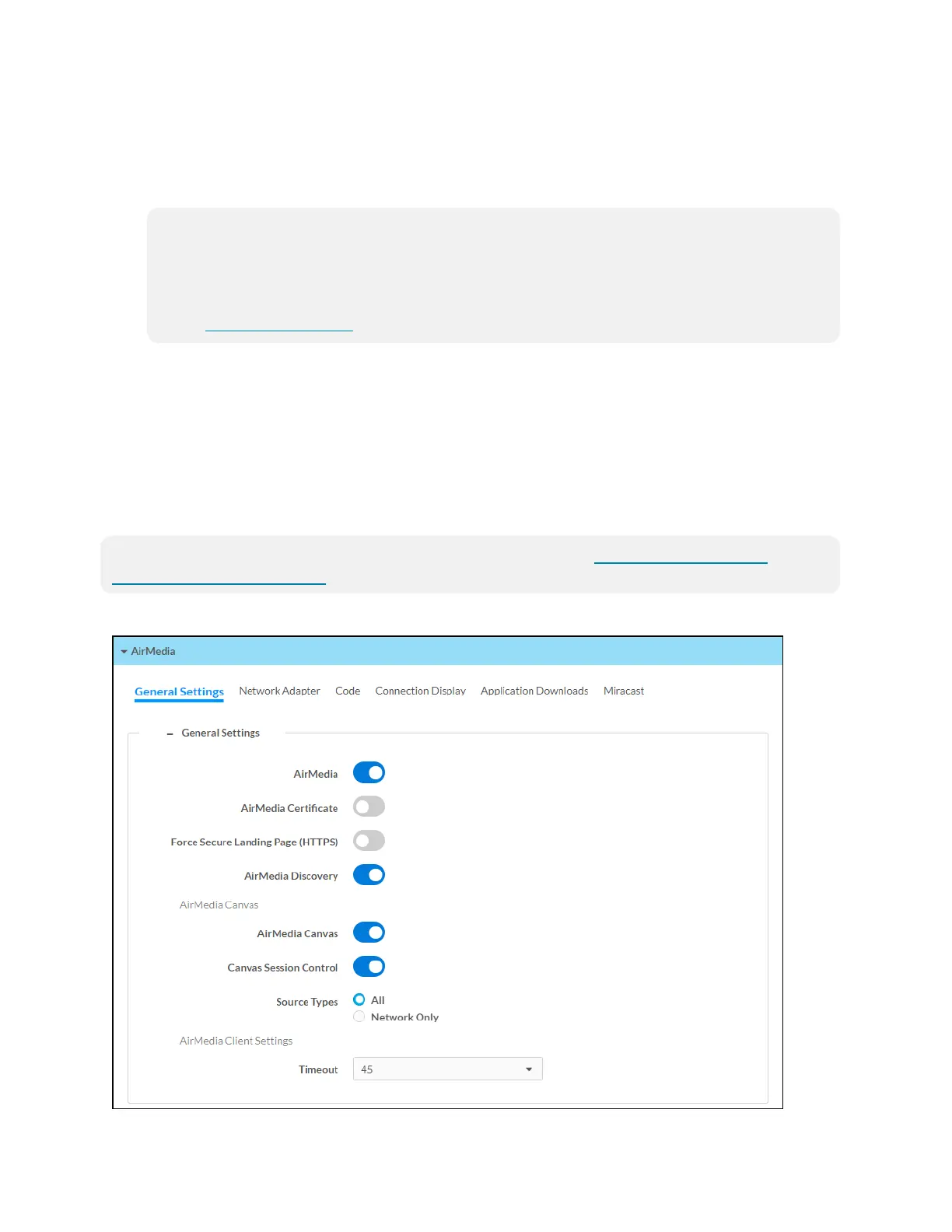
AirMedia
Select AirMedia to configure the device’s AirMedia functionality.
AirMedia can support up to 10 simultaneously connected AirMedia application users (Windows
or Android operating systems) and a maximum of 2 native mirroring users (Airplay or Miracast®
mirroring). Up to two sources can present to the display simultaneously using the AirMedia
Canvas feature. For details on the AirMedia canvas feature, refer to AirMedia Canvas
Functionality (on page55).
NOTE: For additional details on deploying AirMedia, refer to the AirMedia Presentation
Gateway Deployment Guide (Doc 7693).
AirMedia Screen - General Settings















 To Next Page