Supplemental Guide – DOC. 7846A DM-RMC-100-STR: HD Streaming Receiver
1
DM-RMC-100-STR: HD Streaming
Receiver and Room Controller 100
Introduction
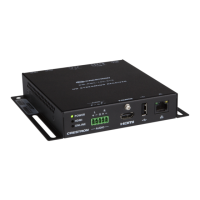
The Crestron
®
DM-RMC-100-STR is an H.264 streaming decoder designed to receive
high-definition AV signals over an IP network. The DM-RMC-100-STR decodes the H.264
streaming signal from a DigitalMedia™ switcher, IP camera, or other streaming source, and
then outputs an HDMI
®
signal to feed the input of a display device, AV receiver, or switcher.
The web-based user interface of the DM-RMC-100-STR facilitates configuration of the
DM-RMC-100-STR from a laptop. Extensive configuration, control, and monitoring of the
DM-RMC-100-STR are also provided through integration with a Crestron control system.
This guide provides information about configuration of the DM-RMC-100-STR using the
web-based user interface. For additional information, refer to the DM-RMC-100-STR DO
Guide (Doc. 7651).
User Interface Overview
The user interface of the DM-RMC-100-STR consists of built-in web pages that allow
configuration of stream, on-screen display, HDMI output, network, and device settings.
In addition, information about the DM-RMC-100-STR as well as the connected display can
be viewed.
Accessing the User Interface
The user interface is accessed from a web browser. To access the user interface, do either
of the following:
• Open a web browser directly. Refer to “Opening a Web Browser Directly” on the
following page for additional information.
• Open a web browser within the Crestron Toolbox™ application. Refer to “Opening
a Web Browser within the Crestron Toolbox Application” on the following page for
additional information.


 To Next Page
 Loading...
