15 Inch Tilt Touchpanel Crestron Isys™ TPS-6000
1. Make sure that “Communication Settings” that begins on page 38 has been
performed.
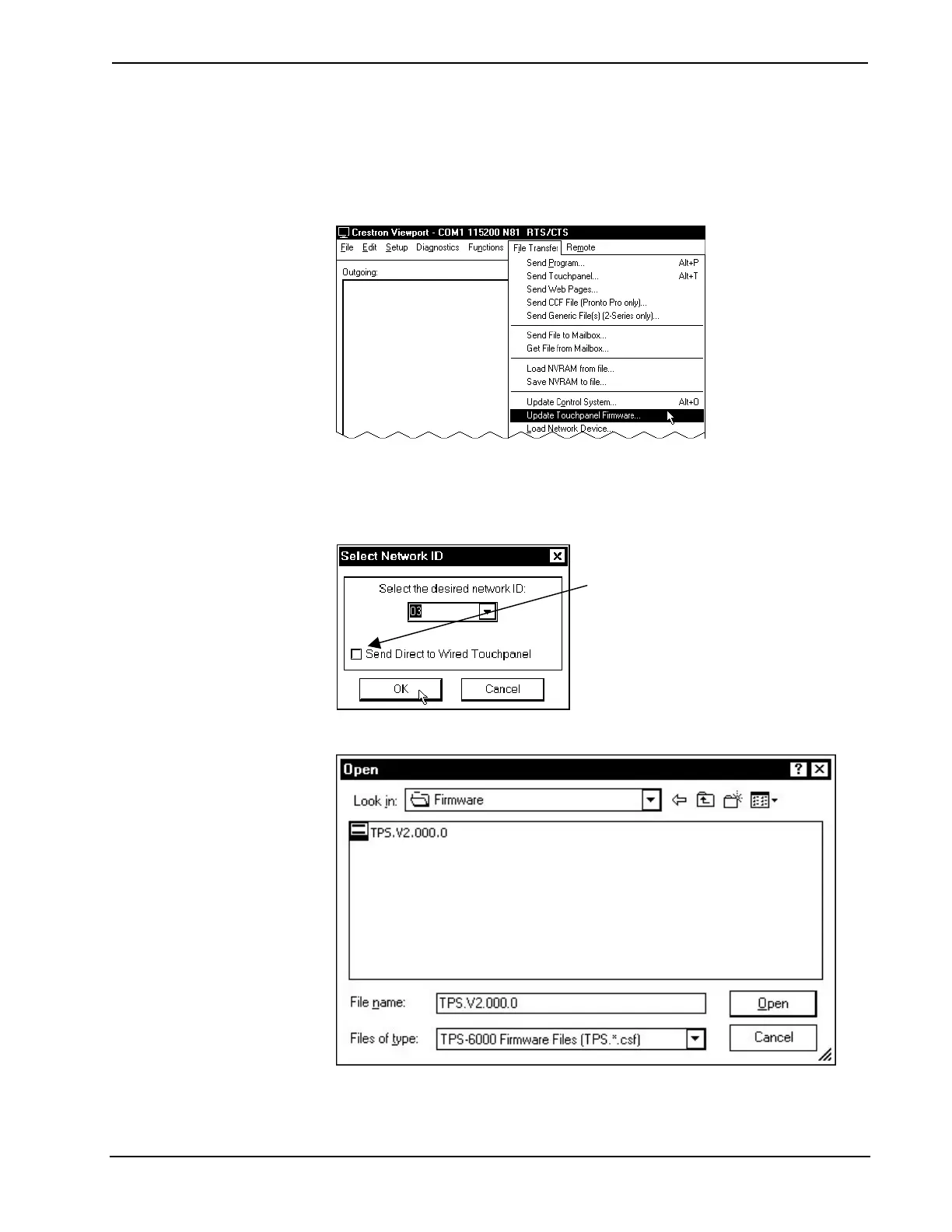
2. As shown after this step, select File Transfer | Update Touchpanel
Firmware from the Viewport menu.
File Transfer | Update Touchpanel Firmware Command
3. As shown after this step, select the Net ID of the TPS-6000 touchpanel and
then click OK. The “Open” window appears (refer to the subsequent
graphic).
“Select Network ID” Window
Check Send Direct to Wired Touchpanel if
connected via RS-232 directly to
touchpanel.
Select CSF File
4. Browse to the .csf file and click Open to begin the transfer.
44 • 15 Inch Tilt Touchpanel: Crestron Isys™ TPS-6000 Operations Guide - DOC. 5864A



 To Next Page
 Loading...