15 Inch Tilt Touchpanel Crestron Isys™ TPS-6000
many other tasks. Viewport can also function as a terminal emulator for generic file
transfer. All of these functions are accessed through the commands and options in
the Viewport menus. Therefore, for its effectiveness as a support and diagnostic tool,
the Crestron Viewport may be preferred over development tools when uploading
programs and projects.
The following sections define how one would upload a SIMPL Windows program,
VT Pro-e project or upgrade the firmware of the TPS-6000 touchpanel. However,
before attempting to upload or upgrade, it is necessary to establish communications.
Communication Settings
Connection of a PC to the TPS-6000 touchpanel can be direct via the RS-232 port on
the touchpanel or through a control system (Cresnet). Both methods of connection
provide setup for RS-232 communication.
NOTE: For laptops and other PCs without a built-in RS-232 port, Crestron
recommends the use of PCMCIA cards, rather than USB-to-serial adapters. If a
USB-to-serial adapter must be used, Crestron has tested the following devices with
good results:
Belkin (large model) F5U103
I/O Gear GUC232A
Keyspan USA-19QW
Other models, even from the same manufacturer, may not yield the same results.
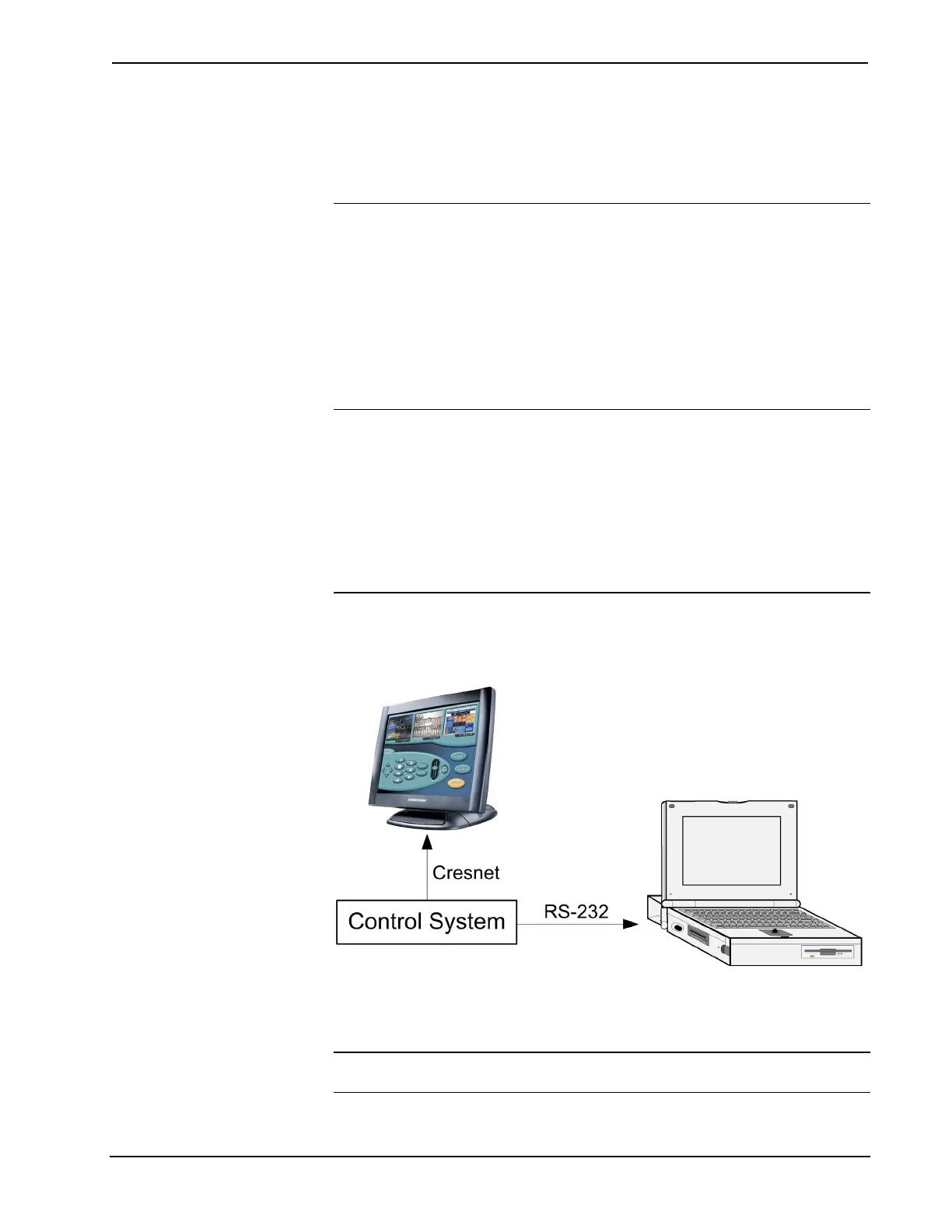
To prepare the TPS-6000 for uploading or upgrading, refer to the following figure
for a typical connection diagram.
Typical Connection Diagram when Uploading a Project
To prepare the TPS-6000 for uploading or upgrading directly from a PC, refer to the
following figure. Connect the RS-232 port of the computer directly to the RS-232
port of the touchpanel. Refer to page 20 for RS-232 cable information.
NOTE: Directly connecting to the touchpanel over RS-232 provides a faster
transmission speed than Cresnet.
38 • 15 Inch Tilt Touchpanel: Crestron Isys™ TPS-6000 Operations Guide - DOC. 5864A



 To Next Page
 Loading...