Cutting Letters, Shapes, and Phrases
Size Dial
Using the Size Dial, choose one of eleven size settings ranging from 1" (2.5 cm) to 5.5"
(14 cm) tall. This will determine the height of your finished cuts.
The selected size will be displayed on the LCD screen above the keypad.
10
tion
Space
Back
Space
Clear
Display
Reset
All
Repeat
Last
Load
Last
Load
Paper
Unload
Paper
Set
Paper
Size
Sound
On/Off
S
ion
Space
Back
Space
Clear
Display
Reset
All
Repeat
Last
Load
Last
Load
Paper
Unload
Paper
Set
Paper
Size
Sound
On/Off
S
ce
Back
Space
C ar
D ay
Reset
All
R eat
L t
d
t
d
er
Unload
Paper
Set
Paper
Size
Sound
On/Off
S
ce
Back
Space
C ar
D ay
Reset
All
R eat
L t
d
t
d
er
Unload
Paper
Set
Paper
Size
Sound
On/Off
S
e
Back
Space
C r
ay
Reset
All
R at
L
d
d
er
Unload
Paper
Set
Paper
Size
Sound
On/Off
S
The Clear Display key clears the contents of the Cricut™ machine’s LCD
screen when pressed.
The
Reset All key clears the contents of the Cricut™ machine’s LCD
screen and returns all settings to their factory defaults.
Press the
Repeat Last key when you want to insert the last selections that
were cut onto the LCD screen. Once the letter(s), shape(s), or phrase(s)
appears on the screen, you can press CUT again, or you can change any
settings (Features, Dial Size, Speed, Pressure, etc.) and then press CUT.
The Sound On/Off key turns the chirp on or off.
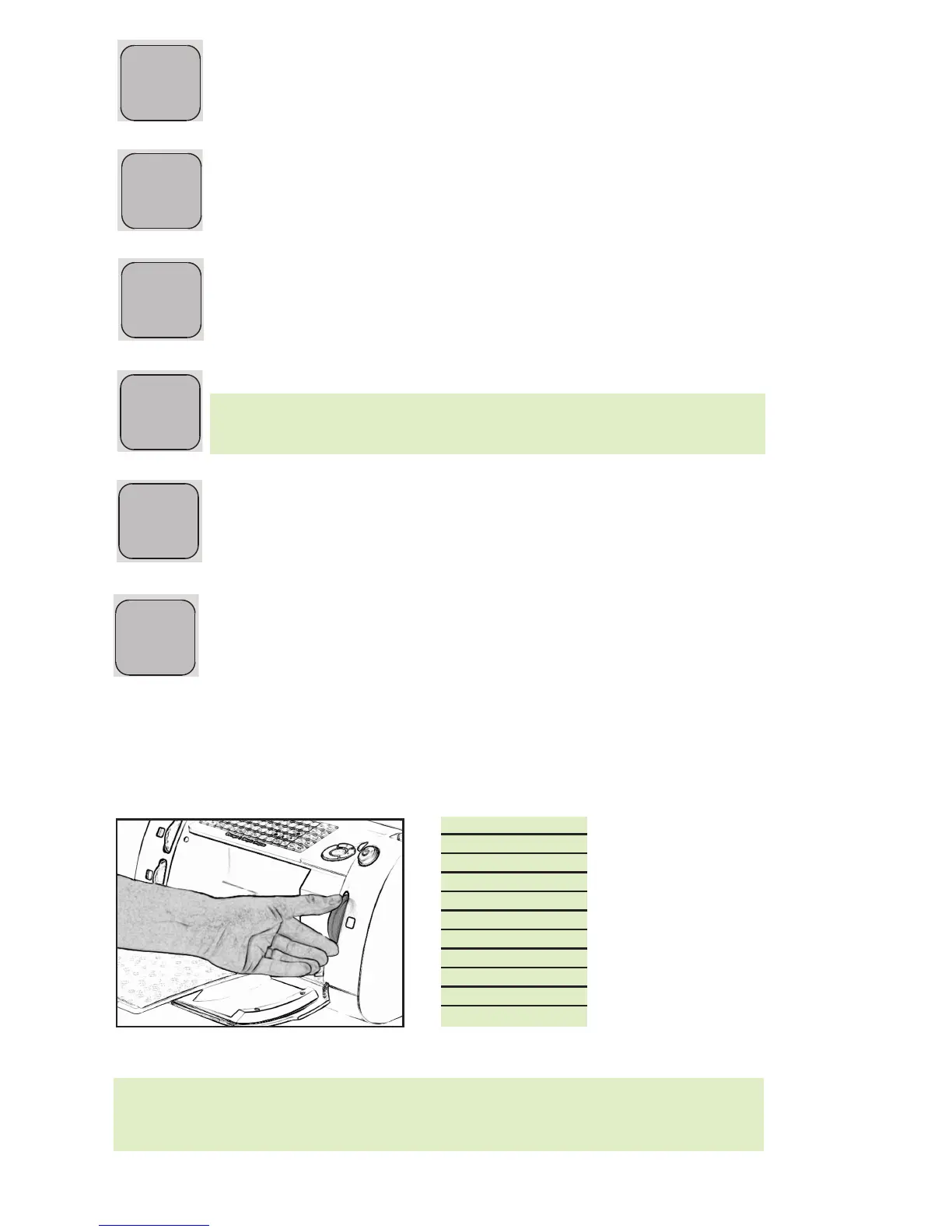
Press the Load Paper key when you want the paper to be pulled into the
machine.
Press the Unload Paper key when the Cricut™ machine is finished cutting.
The Cutting Mat and paper will be ejected from the machine.
tion
p
Clear
Display
Reset
All
Repeat
Last
Load
Last
Load
Paper
Unload
Paper
Set
Paper
Size
Sound
On/Off
S
TIP: All letters in an alphabet set are cut in proportion to the tallest letter
, known as the
Key Height Character. (Refer to the handbook of each cartridge set to find out what
the Key Height Character is.) For other letter, shape, or phrase sizing options, see
“Advanced Operations” on page 11.
• 1" (2.5 cm)
• 1-1/4" (3.2 cm)
• 1-1/2" (3.8 cm)
• 2" (5.1 cm)
• 2-1/2" (6.4 cm)
• 3" (7.6 cm)
• 3-1/2" (8.9 cm)
• 4" (10.2 cm)
• 4-1/2" (11.4 cm)
• 5" (12.7 cm)
• 5-1/2" (14 cm)
TIP: If you turn the sound key off, that will become your default setting.
The next time you turn your Cricut™ machine on, the sound will still be off.
If you want to turn it on, you will need to press Sound On/Off again.


 To Next Page