22
• Batteries can be life-threatening if
swallowed. Therefore, store batter-
ies in a place inaccessible to small
children. Medical attention must be
sought immediately if a battery has
been swallowed.
Danger!
• Handle damaged or leaking
batteries with extreme caution and
dispose of them properly as soon
as possible. Wear gloves when
doing so.
• The connection terminals must not
be short-circuited.
• If you come into contact with battery
acid, wash the affected area with
soap and water. If battery acid gets
in your eye, rinse it with water and
seek medical attention immediately!
Using the product
How the product works
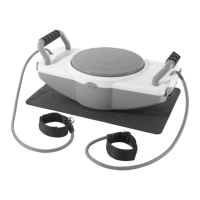
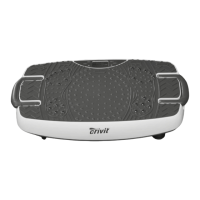
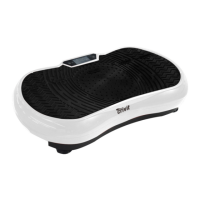
The product works according to the rocking or
side-alternating principle and describes a vertical
movement, by which the right and left side of the
vibration plate move up and down in opposite
directions, similar to a seesaw.
You can set the vibration frequency for your
workout yourself or select from one of the five
pre-set programmes. The recommended training
area is between 5 and 16Hz. Start low and only
increase the intensity if you still feel comfortable.
Vibration level
The product has over 20 vibration levels which
you can use to set the desired vibration frequency
(5–16Hz).
Display (Fig. H)
During the workout, the current training values
are continuously shown on the display plus a
corresponding display symbol:
• time of workout remaining (display symbol:
TIME)
• vibration level (display symbol: SPEED)
• vibration frequency (display symbol: HZ)
• calories used (display symbol: CAL)
Connecting the product
1. Insert the device plug of the power cable (7)
into the device’s plug connection (1f).
2. Plug the mains plug into a permanently in-
stalled, earthed wall socket.
Turning the product on and off
WARNING!
Risk of electric shock!
Improper use can lead to electric shock.
• After use, always switch off the product using
the ON/OFF switch (1g) and disconnect it
from the power supply by unplugging the mains
plug (7) from the socket.
1. Set the ON/OFF switch (1g) to I, to switch the
device to standby mode.
Note: there is no mode in standard mode (P1–
P5 selected on the display).
2. Select the desired mode for training. You can
find further information in the section ‘Selecting
the mode’.
3. Set the ON/OFF switch (1g) to O, to turn off
the device completely.
Product in standby mode
When not in use, the product automatically switch-
es to standby mode after a while.
Briefly press any touch-sensitive button on the
display or a button on the remote control to reacti-
vate the product in standard mode.
Note: there is no mode in standard mode (P1–
P5 selected on the display).
Using the handles
Note: make sure that the handles are locked in
place firmly and securely before you use them.
Performing press-ups on the vibration plate can
put increased pressure on your wrists, causing
pain and interfering with your workout.
The handles help to keep your wrists straight
during the workout and thus greatly reduce the
stress on your wrists.
GB/IE/NI


 To Next Page