EasyManua.ls Logo

Crosscall Wild - User Manual

Crosscall Wild
22 pages
Print Icon
To Next Page IconTo Next Page
Loading...
Wild user manual _V1.0
Thank you for purchasing this mobile phone
Please read all safety precautions and this manual carefully before using your device to ensure
safe and proper use.
Content, images and screenshots used in this manual may differ in appearance from the actual
product.
No part of this manual may be reproduced, distributed, translated, or transmitted in any form or
by any means, electronic or mechanical, including photocopying, recording, or storing in any
information storage and retrieval system, without the prior written permission.
Copyright © 2013 All rights are reserved

Table of Contents

Questions and Answers

Summary

Assembling the Mobile Phone

Installing and Removing the Battery

Instructions for inserting and removing the device's battery.

Charging the Battery

Steps and notes for charging the mobile phone battery.

T-Flash Card Use

Guide on inserting and using a T-Flash memory card.

Inserting and Removing the SIM Card

Process for inserting and removing the Subscriber Identity Module (SIM) card.

Power On or Off

Procedure for turning the mobile phone on and off.

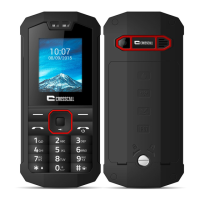
Phone Appearance and Keys

Keys Specification

Details and functions of the phone's physical keys.

Using the Touch Screen

Basic gestures and actions for interacting with the touch screen.

Calling

Making a Call

Steps for initiating voice and video calls.

Emergency Call

Information on making emergency calls in GSM coverage areas.

Answering a Call

How to accept or reject incoming calls.

Call Logs

Contacts

Messaging

Send Message

Guide on composing and sending SMS/MMS messages.

Camera

Video Record

Email

Alarm

File Manager

PC Connections

Applications

Settings

Wireless & Networks

Configuring wireless connectivity like Wi-Fi and Bluetooth.

Wi-Fi Settings

Connecting to and managing Wi-Fi networks.

Bluetooth Settings

Pairing and managing Bluetooth devices for data exchange.

Security

Managing screen lock, SIM lock, and password settings.

Troubleshooting

Safety and General Information

General Precautions

Important guidelines for safe phone usage and environment.

Battery

Precautions and guidelines for handling and using the battery.

Charger

Guidelines and warnings for using the phone charger.

Phone Precautions

Warnings related to phone usage in specific environments and handling.

Battery Safety Precautions

Detailed safety measures for battery handling and disposal.

Charger Precautions

Safety warnings and best practices for using the charger.

Crosscall Wild Specifications

General IconGeneral
BrandCrosscall
ModelWild
CategoryCell Phone
LanguageEnglish

Related product manuals