-8- Wild user manual _V1.0
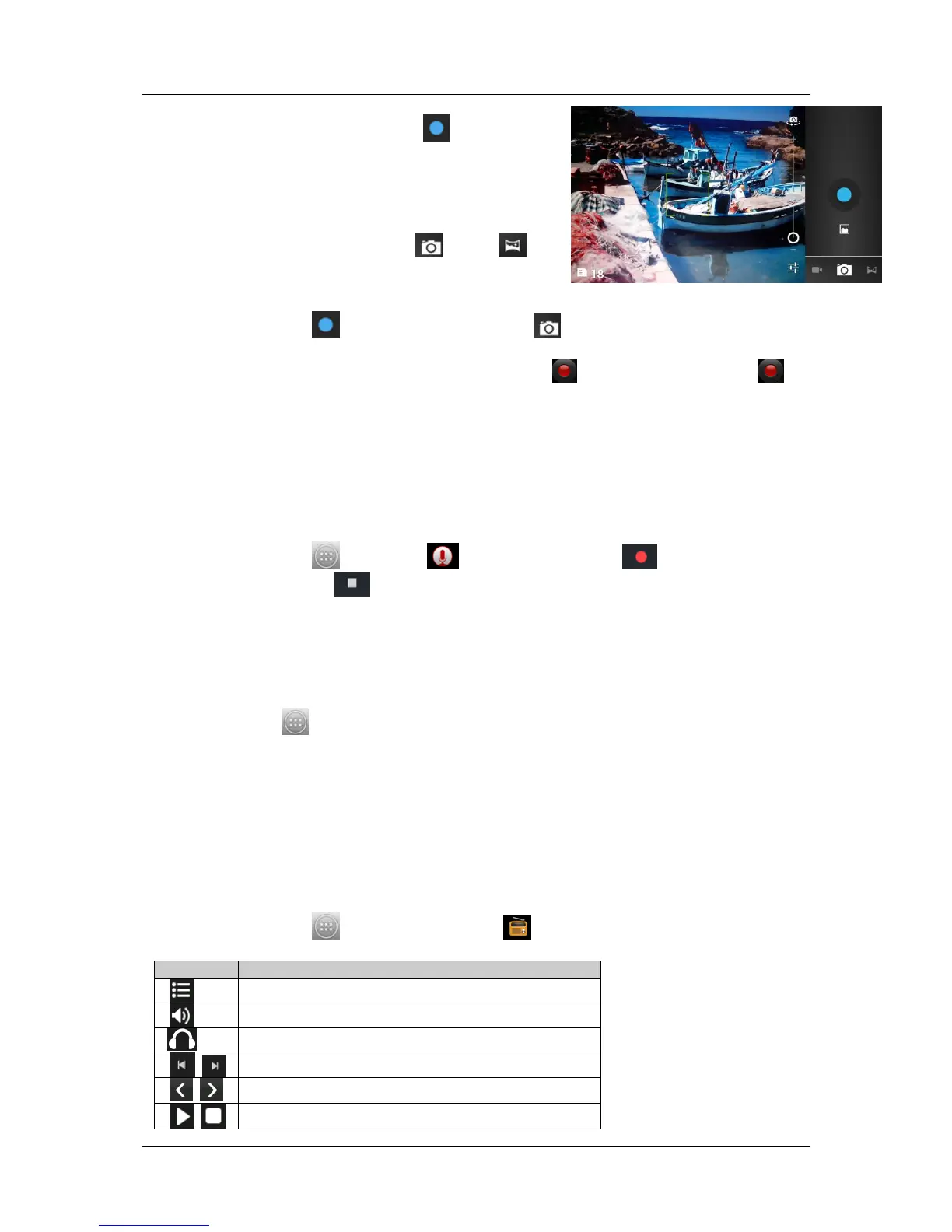
Aim the phone at the subject, touch to take a shot.
Press Menu key to select switch to video or go to gallery to
view pictures.
After taking photos, touch preview frame to view the
taken photos.
You can take 360° panoramic photos, is convenient for
photographing landscapes. Click click , select .
9 Video Record
In idle mode, touch then touch “Camera”, click , select “Camcorder” to recording
video screen.
Aim the phone at the subject. To start recording, touch . To stop recording, touch .
The video is saved automatically.
Press Menu key to select switch to camera or go to gallery to view videos.
After recording videos, touch preview frame to view the recorded videos.
10 Sound Recorder
You can record sound through the menu. The recording files are saved in the memory card.
You can use the sound as phone ringtone or message tone, you can see and play the recording
files in “Music - Playlists - My recording”.
In idle mode, touch , then touch Sound recorder. Touch to start recording,
during the recording, touch to stop recording and save.
11 Music
Music plays digital audio files from the device’s storage card. Music supports the following
music file formats: MP3, AMR, WMA, MIDI, WAV, AAC, and OGG.
In idle mode, touch , then touch Music. Your music is organized into four categories: Artists,
Albums, Songs and Playlists. Touch a category to view the list. At any level inside a Music library
category, touch and hold an item (a song, artist, album, or playlist) to open the options menu, and
then touch Play.
During playing, press Menu key, and user can view music library, on/off party shuffle, add to
playlist, use as ringtone, delete the song and set sound effects. Press the side VOLUME UP or
DOWN button to adjust the playback volume.
12 FM Radio
You can listen to music/news on the FM Radio.
In idle mode, touch , then touch “FM Radio ”.





 To Next Page