-6- Wild user manual _V1.0
5) During the call, touch “End” to end the call.
Note: You can also touch Call log, Contacts and Favorites to quickly dialing.
4.2 Emergency Call
Only in GSM system coverage, you can make an emergency call, even though the phone is
locked, without SIM card, or cannot enroll to the system.
This phone, like any wireless phone, operates using radio signals, wireless, and landline
networks as well as user programmed functions, which cannot guarantee connection in all
conditions. Therefore, you should never rely solely on any wireless phone for essential
communications like medical emergencies. Check with local service providers to make an
emergency call.
4.3 Answering a Call
When somebody calls you, the phone rings, and displays the incoming call area. If the caller
can be identified, the caller’s phone number (or name if stored in your phonebook) is displayed.
1) If the screen is locked, when a call is coming, drag right to answer the call, drag left to
reject.
2) If the screen is unlocked, when a call is coming, answer the call by touch “Answer”.
Touch “Reject” to end.
3) When the phone is ringing, press the Volume key to mute the ringtone.
4) To end the call, select “End”.
Note:The speaker sound volume maybe loud, so please not use the speaker beside ear.
5 Call Logs
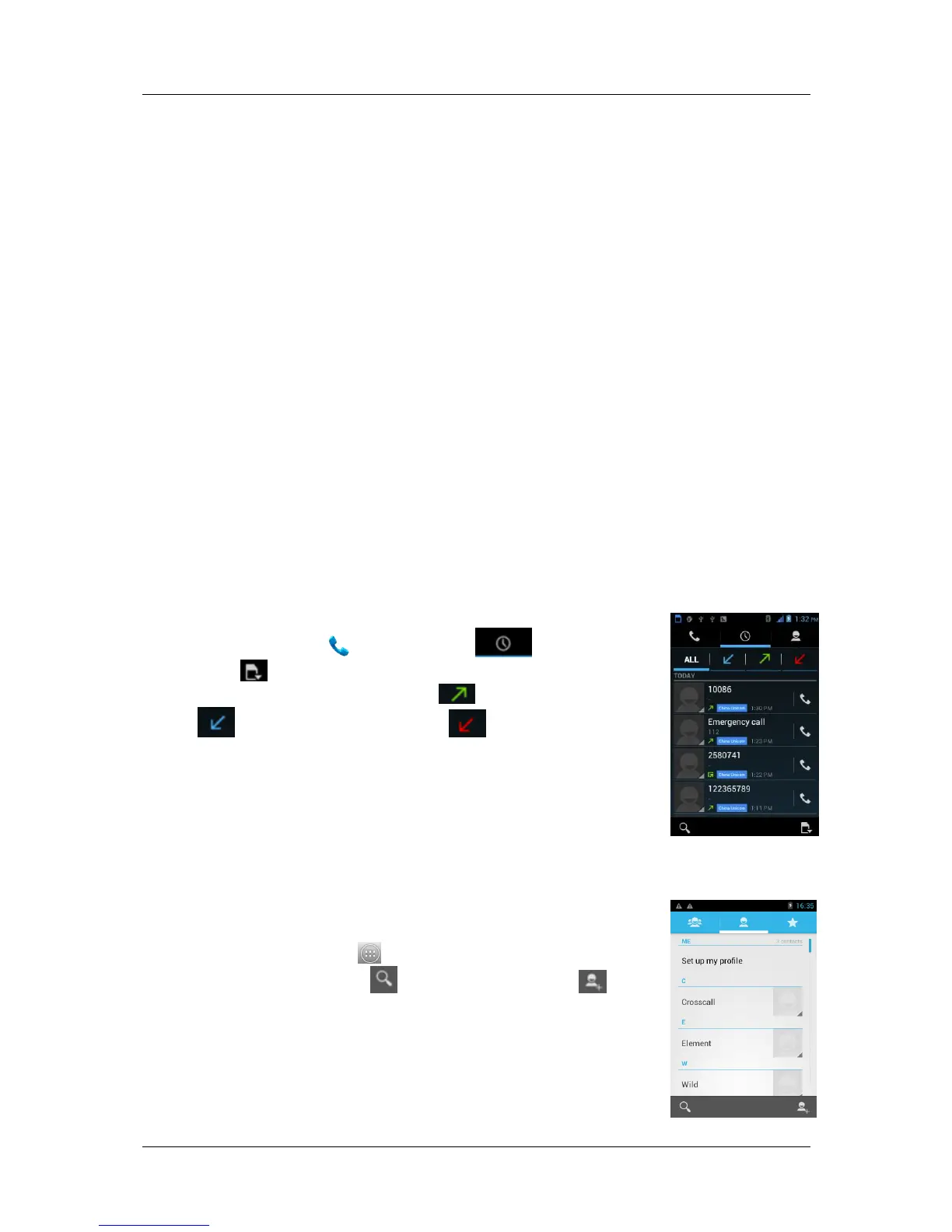
You can view all calls, dialing calls, received calls and missed calls.
1) In idle mode, touch , select “Call logs ”.
2) Touch , select SIM card.
3) Touch “All” view all logs, touch view dialing calls, touch
view received calls and touch view missed calls.
4) Touch a log to dial the number.
5) Select a log, Click on it, and view the details. From the detail view,
you can dial the number, send message to the number or add the
number to the phonebook.
6) In any log list interface, press Menu key to delete log or set speed
dial.
6 Contacts
This feature allows you to store phone numbers and their
corresponding names in the memory of your SIM card and phone’s
memories. In idle mode, touch , select “Contacts”, touch “All contacts”,
select group or SIM card, touch to search contact, touch to add
new contact.





 To Next Page