DriveCore Install Network Display Series Power Amplifiers
Operation Manual
page 24
Dual Mode Hi-Z (70V/100V) Mode
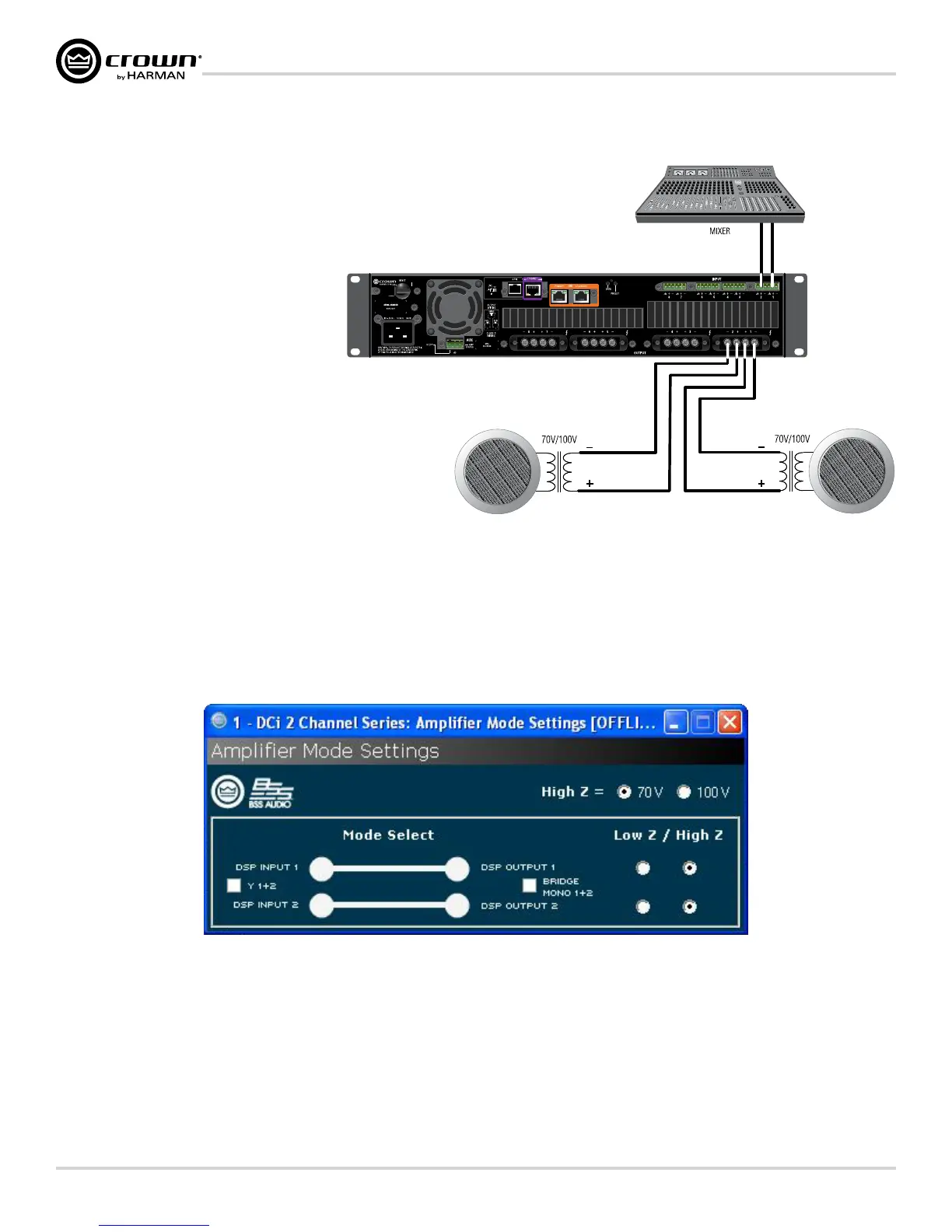
Typical input and output wiring, along with software
settings are shown in Figures 24 and 25.
A 35Hz high pass filter is selected automatically
when the amplifier channel is in Hi-Z or Bridged Hi-Z
mode. Remember, DCi amplifiers allow each channel
Hi-Z or Low-Z mode of operation to be selected
independently, while 70V/100V selection is global.
Figure 24 System Wiring for 70V/100V Operation
Figure 25 Radio buttons control Low-Z/High-Z on a per channel basis. 70Vrms and 100Vrms radio buttons
control High-Z point for the entire amplifier.
Always route the input and output wires in separate bundles.
Software System Conguration
Note: 70/100V is global, while Low-Z/Hi-Z is per output channel



 To Next Page