RV50 Sierra Wireless AirLink® 4G LTE Cellular Modem
8
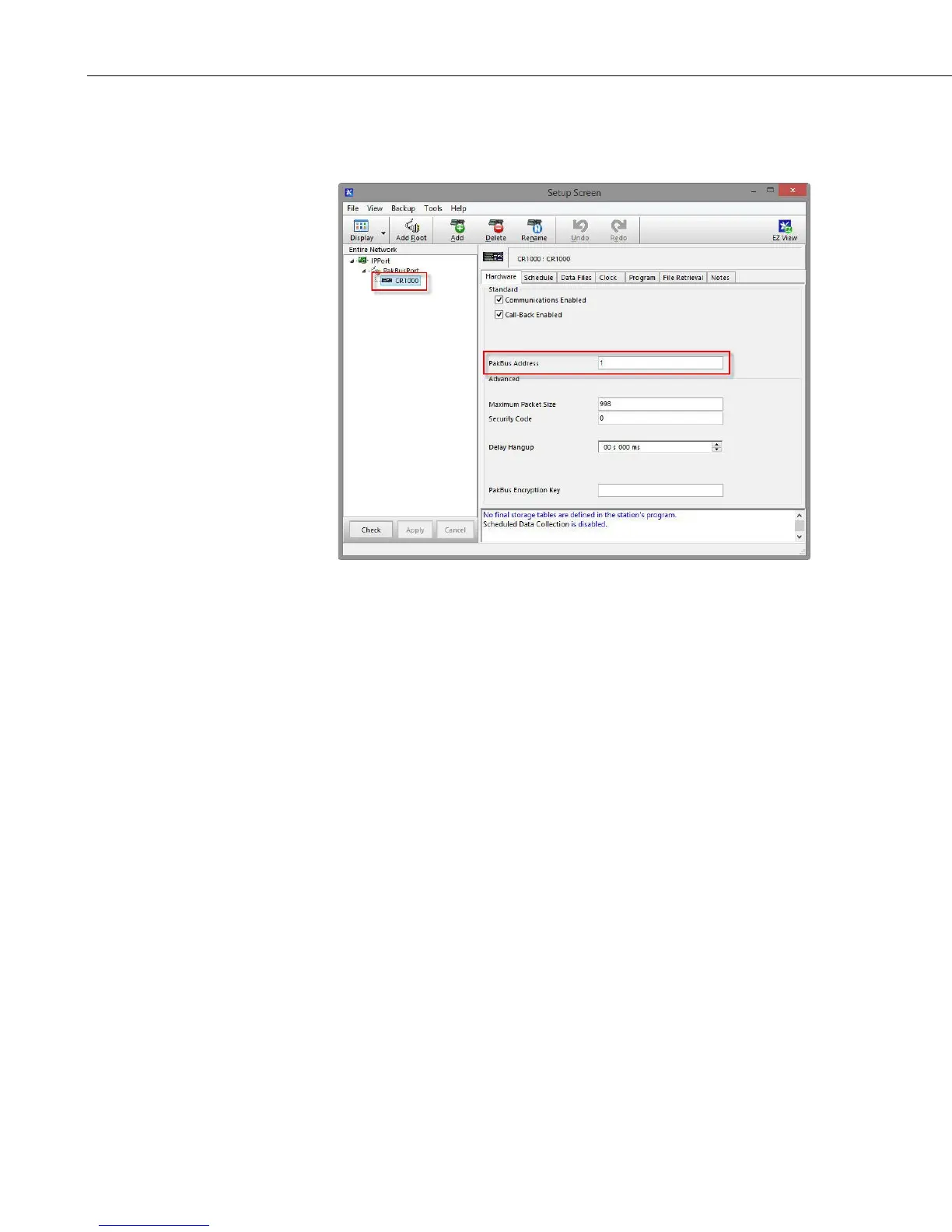
5. For PakBus dataloggers, select the datalogger in the Network Map and set
the PakBus Address to match that of the datalogger (default address in
the datalogger is 1). Click Apply to save the changes.
4.5 Set Up Hardware
The simplest hardware setup for modern dataloggers is to connect a null
modem cable (pn 18663) between the RS-232 ports of the datalogger and the
RV50. See Section 7.4, Wiring and Connections
(p. 15).
4.6 Test the Connection
After the Network Map has been configured, test the cellular connection using
the Connect screen as shown below. Click on the appropriate station and click
Connect to initiate a call to the datalogger. If the call is successful, the
connectors at the bottom of the screen will come together and clock
information from the datalogger will be displayed in the Station Date/Time
field. If the connection fails, a Communications Failure message will be
displayed.


 To Next Page