RV50 Sierra Wireless AirLink® 4G LTE Cellular Modem
4
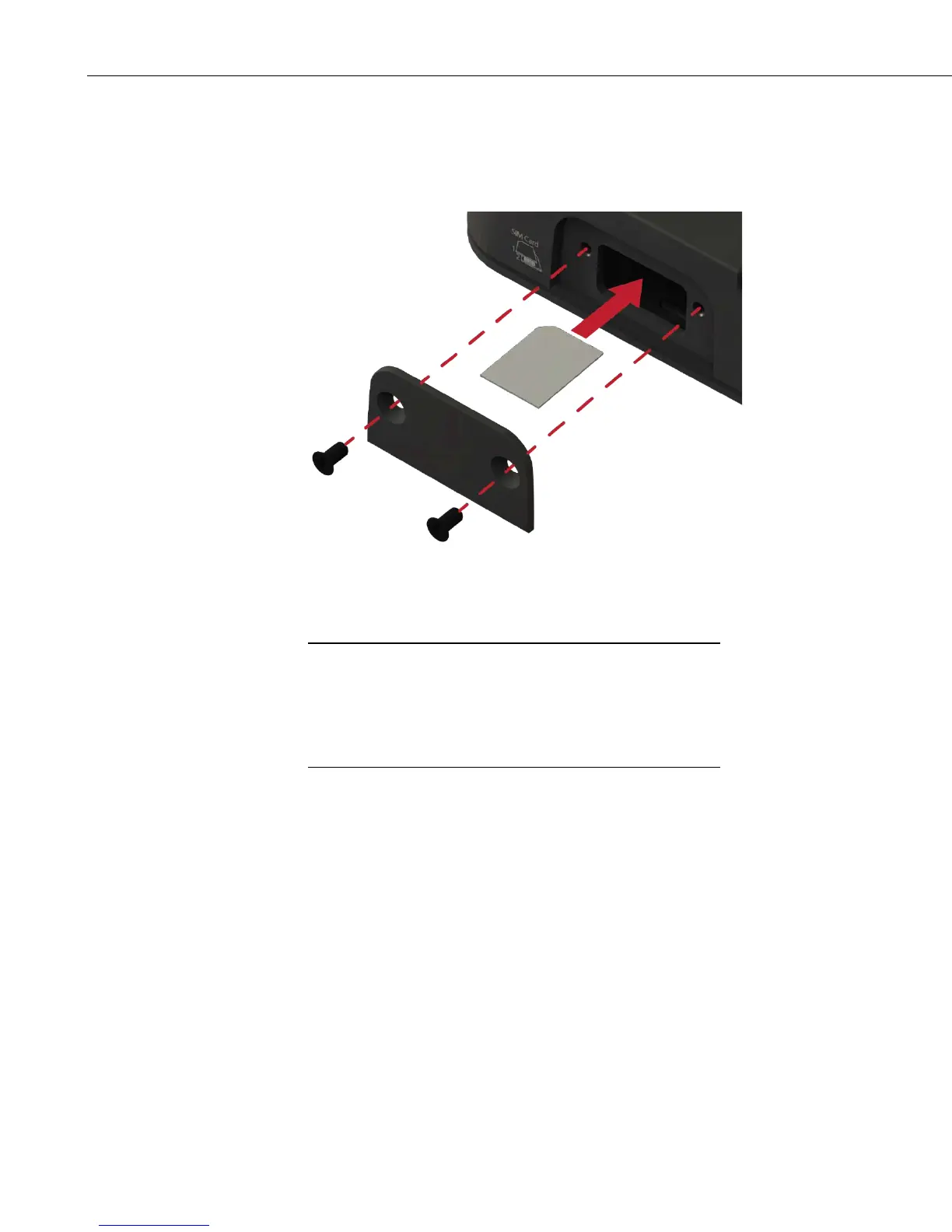
into the upper slot until it stops and locks into place. To eject the SIM
card, press it in slightly and release.
3. Replace the SIM card cover.
FIGURE 4-1. SIM Card Installation
4.3 Configure RV50
QuickStart describes configuring the RV50 in serial server mode.
It may also be configured in Point-to-Point Protocol (PPP) mode.
For a description of the modes, see Section
5, Overview (p. 9). For
instructions on setting up the RV50 in PPP mode, see Section 7.5,
ACEmanager and Template Files
(p. 18), and Section 7.6, Enabling
PPP Mode
(p. 20).
The RV50 is configured using ACEmanager, a web based configuration tool
hosted by the RV50. ACEmanager can be accessed using Internet Explorer® or
Firefox® remotely over the cellular WAN or locally over Ethernet. A number
of templates will be provided for download to make most configurations very
simple once connected to ACEmanager.
1. Download Campbell Scientific’s collection of RV50 configuration
templates from www.campbellsci.com/downloads and run the executable
downloaded. The templates can also be found on the Campbell Scientific
ResourceDVD.
2. Connect the Cellular antenna.
3. Connect the Diversity antenna, if used. Recommended but not required.
Note: If a Diversity antenna is not used, use ACEmanager to disable
WAN/Celluar | Network Credentials | RX Diversity.


 To Next Page