RV50 Sierra Wireless AirLink® 4G LTE Cellular Modem
15
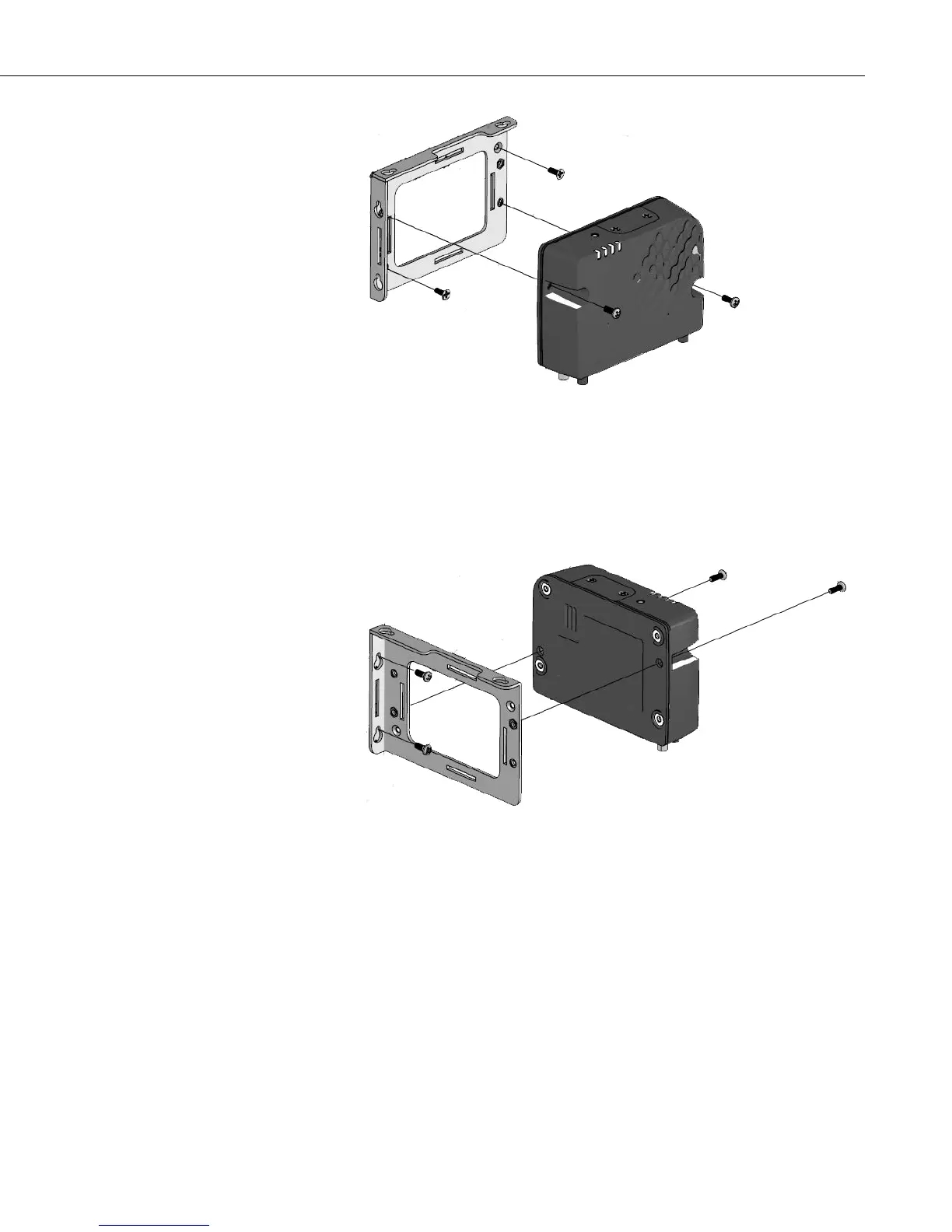
FIGURE 7-3. Flat Mount
7.3.2 Mounting the RV50 on Edge to the Backplate
Use two of the included pan-head Phillips screws to mount the RV50 to the
bracket. Then use two of the included pan-head Phillips screws to mount the
bracket to the backplate. See FIGURE 7-4.
FIGURE 7-4. Edge Mount
7.4 Wiring and Connections
This section explains how to connect the modem for different communication
methods. It also describes how to power the modem and connect an antenna.


 To Next Page