RV50 Sierra Wireless AirLink® 4G LTE Cellular Modem
21
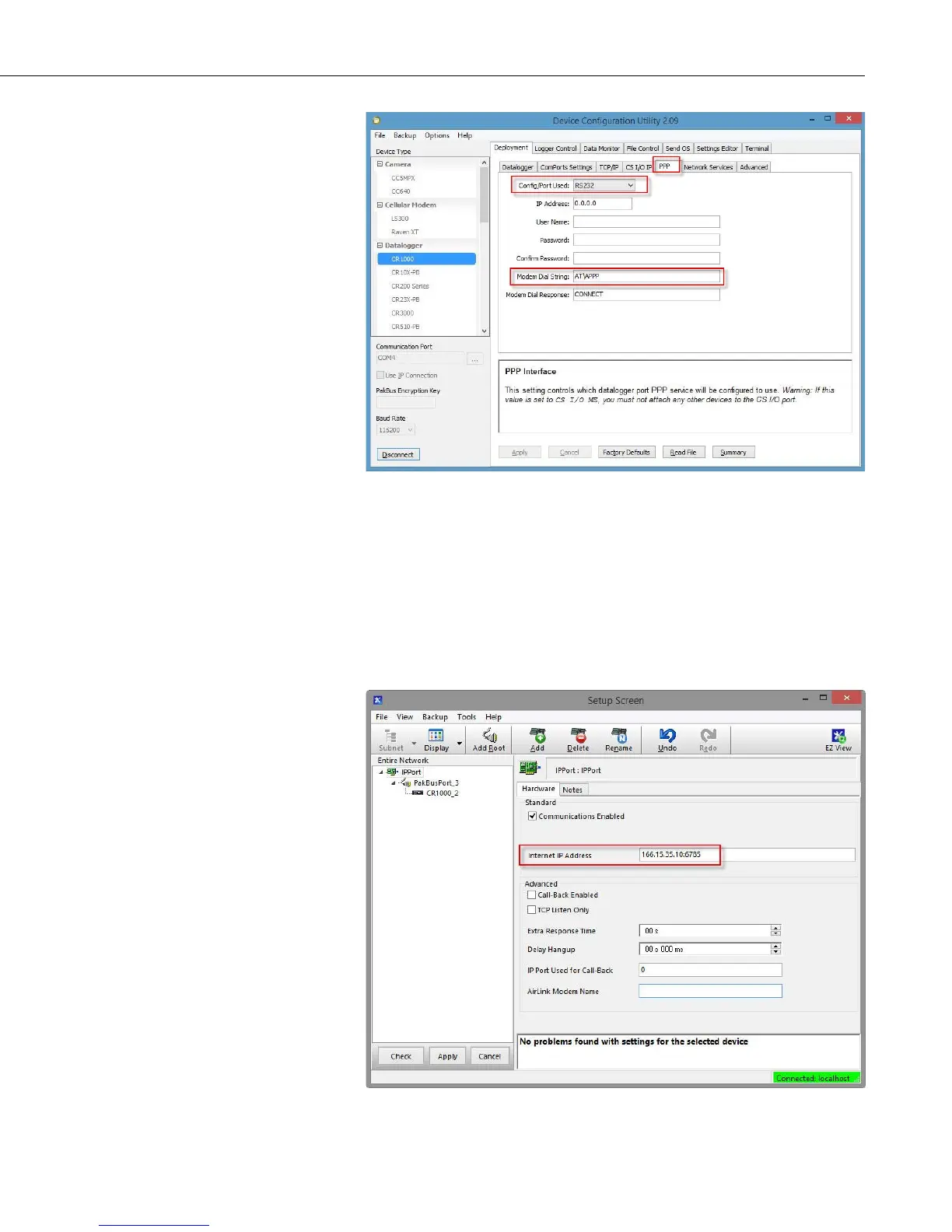
For the Config/Port Used, use the drop-down list to select the datalogger port
you wish to use for PPP. RS-232 is the standard choice, but any port in the
drop-down list can be used.
Set the Modem Dial String to AT\APPP.
Press Apply to apply the changes.
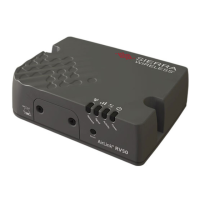
With PPP enabled, PakBus®/TCP communications use port 6785. Therefore,
in LoggerNet use :6785 after the IP address or domain name as shown below.


 To Next Page