CTI 2572-B / 2500C-2572-B Installation and Operation Manual 10
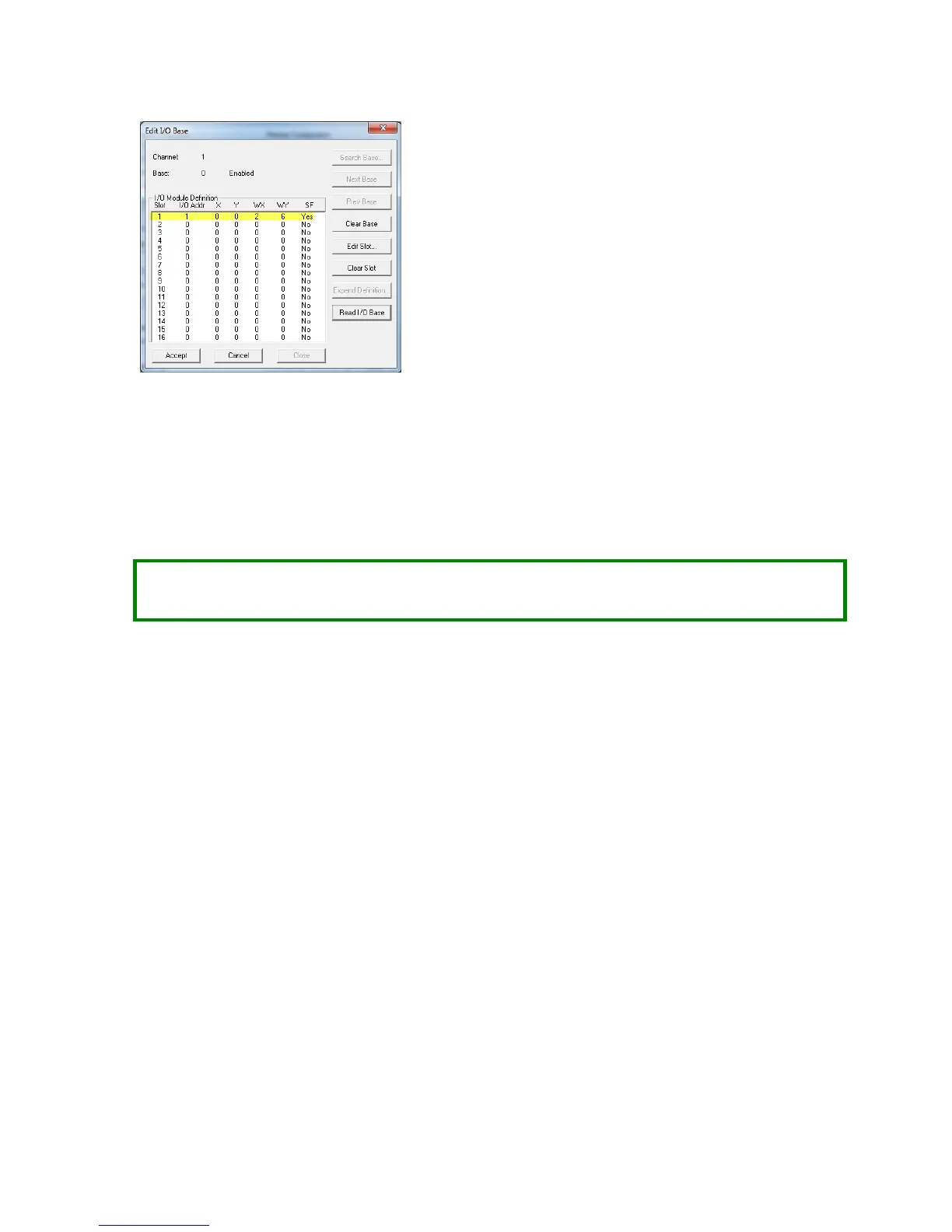
Figure 4. Example I/O Configuration
After you read the I/O base, if the number of WX and WY words are the same as those shown in the example
above and Special function = YES, then the PLC can recognize the module. Change the address as required by
your application and save the result. If the line is blank or erroneous, re-check the module to ensure that it is
firmly seated in the I/O base slot. Generate the PLC I/O configuration chart again by reading the I/O base. If
the problem persists, contact your distributor or contact CTI.
NOTE:
The module must be configured in the I/O table before you can use PLC logic to start the module or
control the module operation from the PLC.
2.8. Storing Network Parameters in Flash
If you have selected the AutoStart option, you will need to manually set the IP parameters to correspond to
your networking requirements.
The 2572-B IP Parameters can be set using the embedded web server. Point your browser to the main Product
Information page by entering the IP address of the 2572-B module in the browser URL field. From the list of
pages on the left hand side of the page, select the MODULE CONFIGURATION page. Unless you have bypassed
password protection, you will be asked for a User ID and Password. When the configuration page is
displayed, enter the new IP address information in the appropriate fields and press the Update Module
button.
The 2572-B is shipped from CTI with the IP address set to 169.254.1.1 and the subnet mask set to 255.255.0.0.
To connect to the module, you must ensure that your PC has an IP address that is on the same IP network and
is not the same as the module IP address.
One method of providing your PC with compatible IP address is to use Windows Control Panel (or Windows
Settings in Windows 10) to configure a static IP address. In this case, the first two octets of the PC IP address
must be 169.254, the last two octets of the PC IP address must not be 1.1, and the PC subnet mask must be set
to 255.255.0.0 . For example, an IP address of 169.254.1.2 will work.



 To Next Page