CTI 2572-B / 2500C-2572-B Installation and Operation Manual 6
2.2. Unpacking the Module
Open the shipping carton and remove the special anti-static bag that contains the module.
After discharging any static build-up, remove the module from the static bag. Do not discard the static bag.
Always use this bag for protection against static damage when the module is not inserted into the I/O base.
CAUTION:
The components on the 2572-B module printed circuit card can be damaged by static
electricity discharge. To prevent this damage, the module is shipped in a special anti-static
bag. Static control precautions should be followed when removing the module from the bag
and when handling the printed circuit card during configuration.
2.3. Setting the 2572-B Option Switches
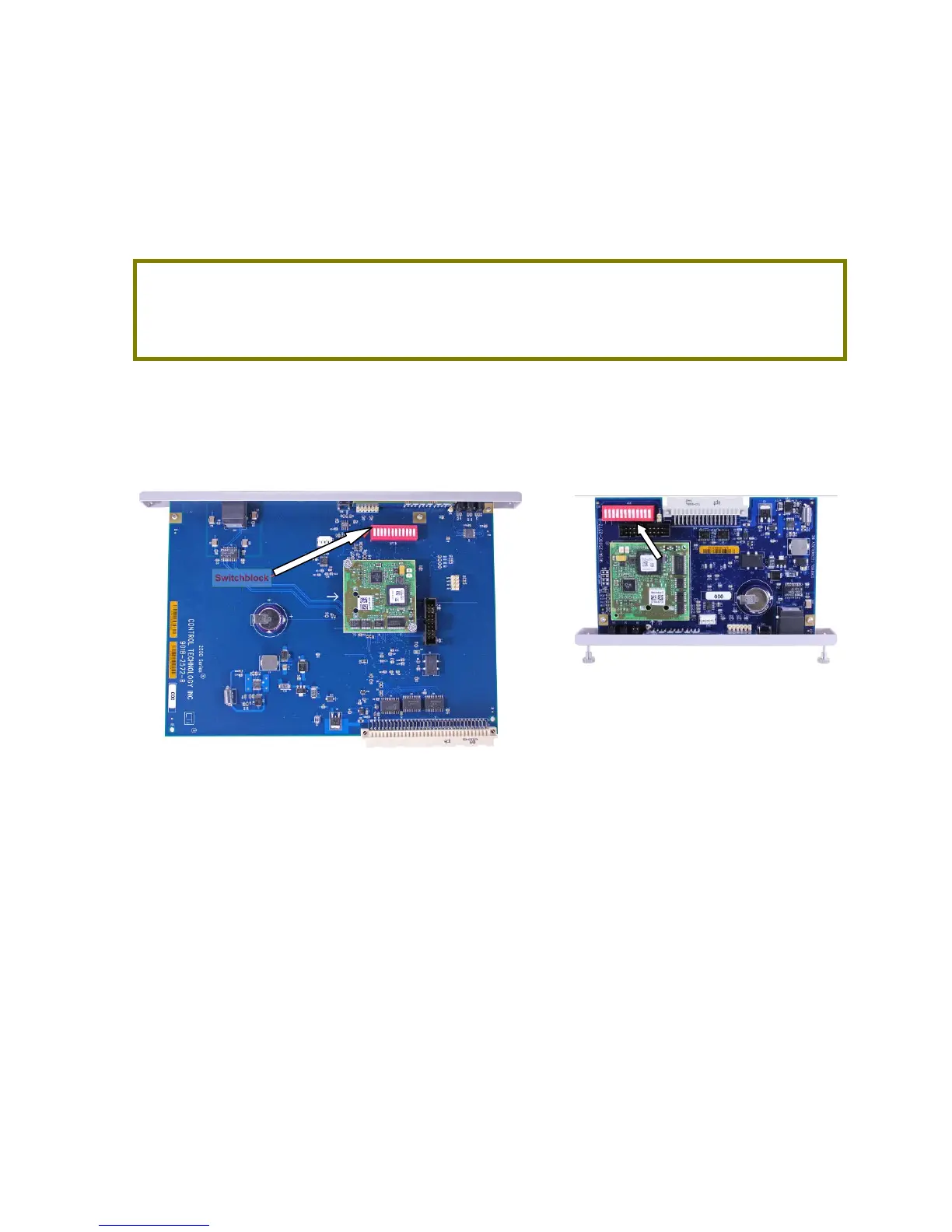
Using the option switches on the 2572-B circuit board, you can designate how the module will operate. The
following illustration indicates the location of the switchblocks on both products.
2572-B 2500C-2572-B
Figure 1. Switchblock Locations



 To Next Page