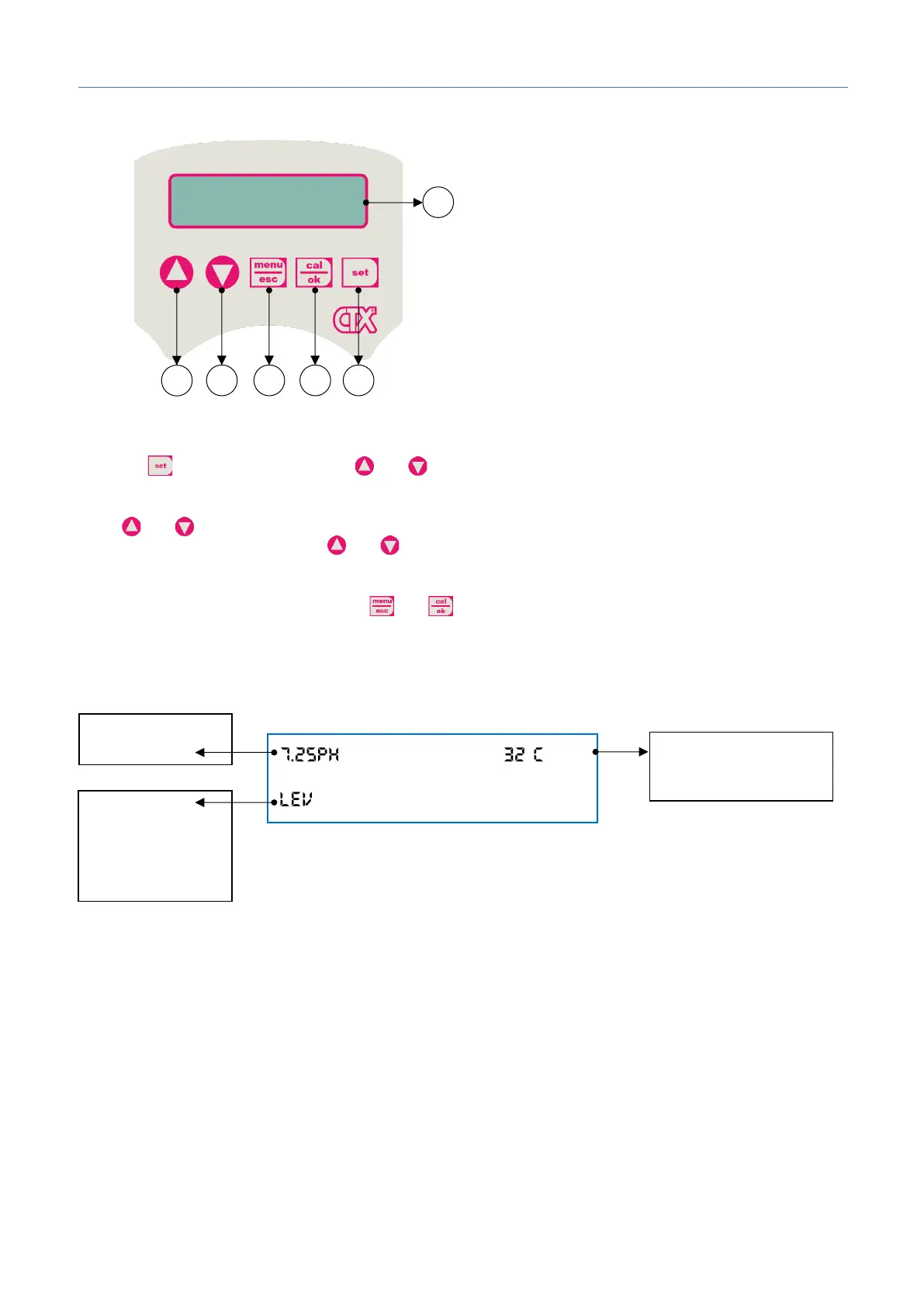
5. SETUP INSTRUCTIONS MYPOOL SYSTEM
Set Point adjustment
Press the button for 3 seconds, use and to set the desired value.
Stand-by
Press and buttons simultaneously for 5 seconds to switch off the unit backlight. Dosage and calibration
are disabled. To exit standby, press and buttons simultaneously.
Priming
While the pump is in stand-by press down and in the same time.
View Level
1) Button to increase the value
2) Button to decrease the value
3) Button Menu/Esc
4) Button Cal/OK
5) Button to set the setpoint
6) Digital display


 To Next Page