GB
Customising TV Settings
35
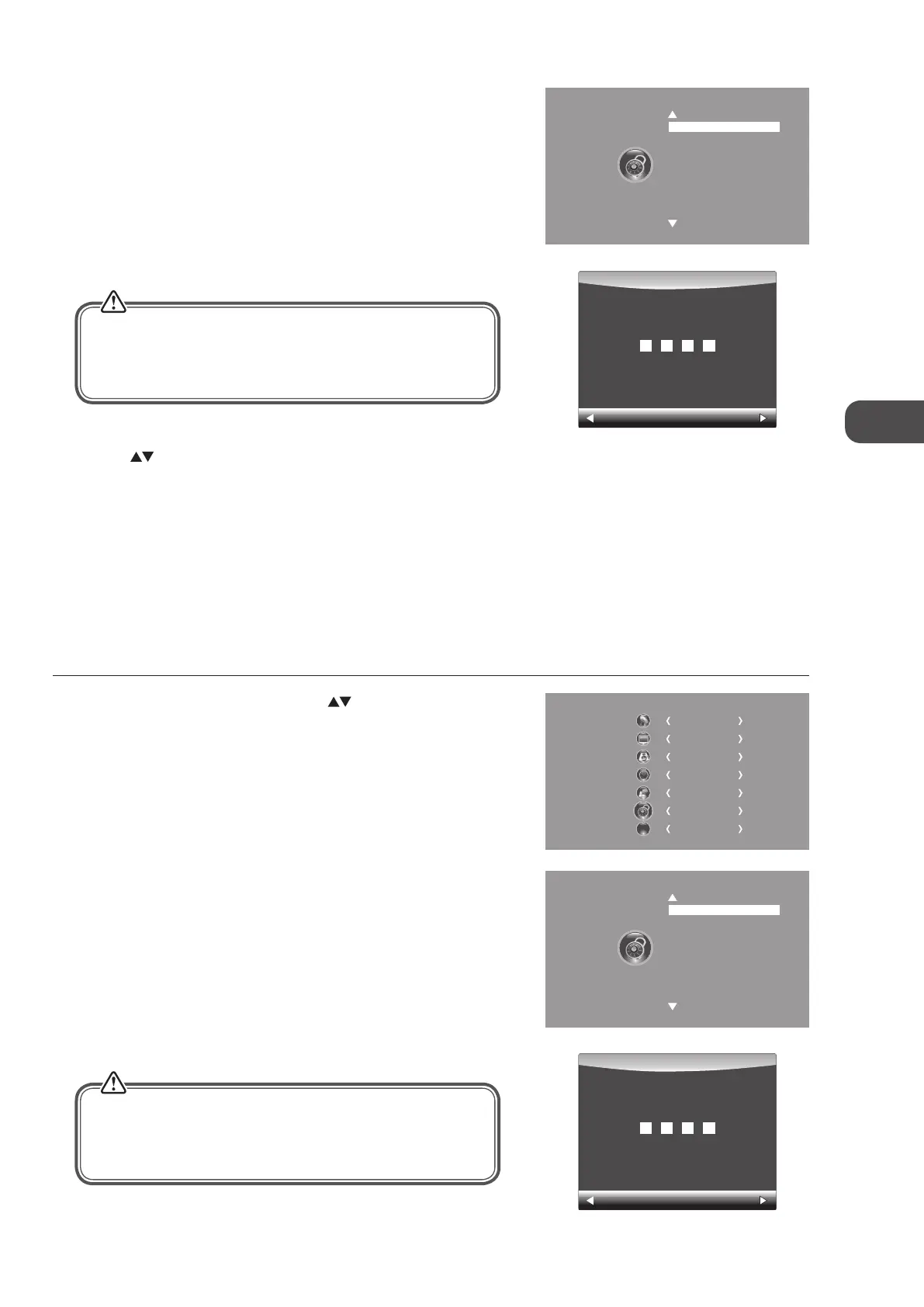
2. Press the OK button to select Lock System.
Lock System
Set Password
Block Channel
Parental Guidance Off
4. Press the buttons to select Lock System and then the OK buttons to
select On / Off.
If the Lock System is set to On, a valid password must be entered when you
access Auto Tuning / Manual Tuning / Restore Factory Default.
5. Press the BACK button to return to the previous menu or press the
MENU button to return to the main menu.
6. Press the EXIT button to exit the menu.
Set Password
1. Press the MENU button and then press the buttons to select the
LOCK menu and then press the OK button.
3. Use the 0-9 buttons to input a 4-digit password to enter the LOCK menu.
Clear
Cancel
Please enter password
The default password is “6666”.
If you change the password, be sure to remember the new
password! If you forget the new password, enter the master
password“9527”.
The default password is “6666”.
If you change the password, be sure to remember the new
password! If you forget the new password, enter the master
password“9527”.
3. Use the 0-9 buttons to input a 4-digit password to enter the LOCK menu.
Lock System
Set Password
Block Channel
Parental Guidance Off
Clear
Cancel
Please enter password
CHANNEL
PICTURE
SOUND
TIME
OPTION
LOCK
EXIT
EXIT
2. Press the OK button to select Lock System.
C16LDIB11_IB_Running Change_120816_Annie.indd 35 12年8月16日 下午1:59


 To Next Page