GB
Customising TV Settings
37
Lock System
Set Password
Block Channel
Parental Guidance Off
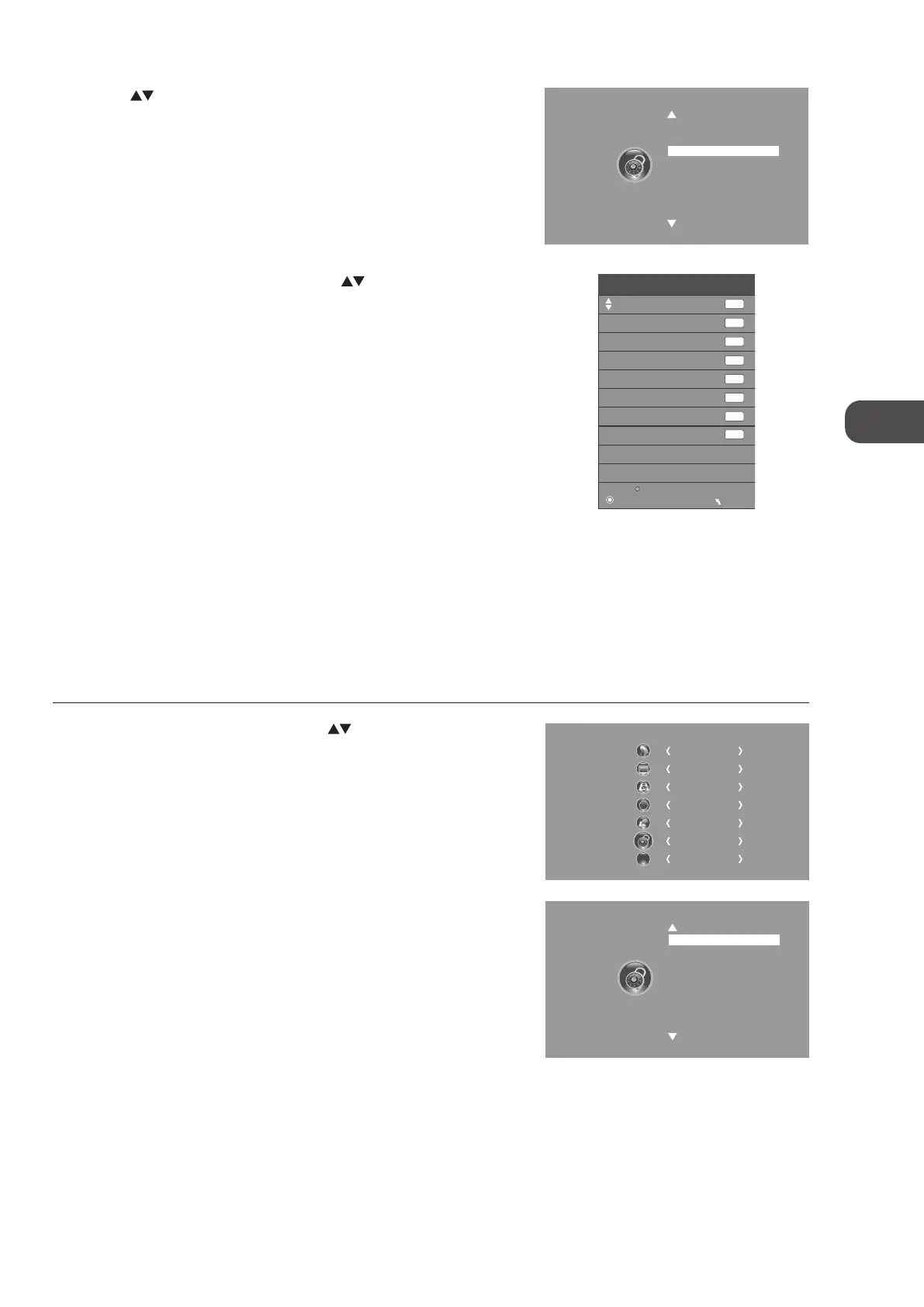
5. A Block Channel screen will pop up. Press the buttons to select a
channel. Press the GREEN button on the remote control to block or
unblock the channel. Press the GREEN button again to unblock.
6. Press the MENU button once to return to the previous menu. Press the
MENU button again to return to the main menu.
7. Press the EXIT button to exit the menu.
Block Channel
OK
Lock
MENU
800 SZTVM01
DTV
800 SZTVM02
800 SZTVM03
800 SZTVM04
804 Date
1C-51
2C-53
3C-61
DTV
DTV
DTV
DTV
ATV
ATV
ATV
4. Press the buttons to select Block Channel and then press the OK
button.
Parental Guidance
This function allows you to set up blocking schemes to block specific channels and ratings. It operates according to information
from the broadcasting station, therefore if the signal has incorrect information, this function will not operate. This allows you to
set up blocking schemes to block specific channels and ratings.
This TV is programmed to remember which option it was last set to even if you switch the TV off.
When a programme is locked or rated with delayed state, a valid password must be entered.
1. Press the MENU button and then press the
buttons to select the
LOCK menu and then press the OK button.
CHANNEL
PICTURE
SOUND
TIME
OPTION
LOCK
EXIT
EXIT
Lock System
Set Password
Block Channel
Parental Guidance Off
2. Press the OK button to select Lock System.
C16LDIB11_IB_Running Change_120816_Annie.indd 37 12年8月16日 下午1:59


 To Next Page