A
Page A-1
Repair and Service Manual
Read all of Section B and this section before attempting any procedure. Pay particular attention to all Notes, Cautions and Warnings
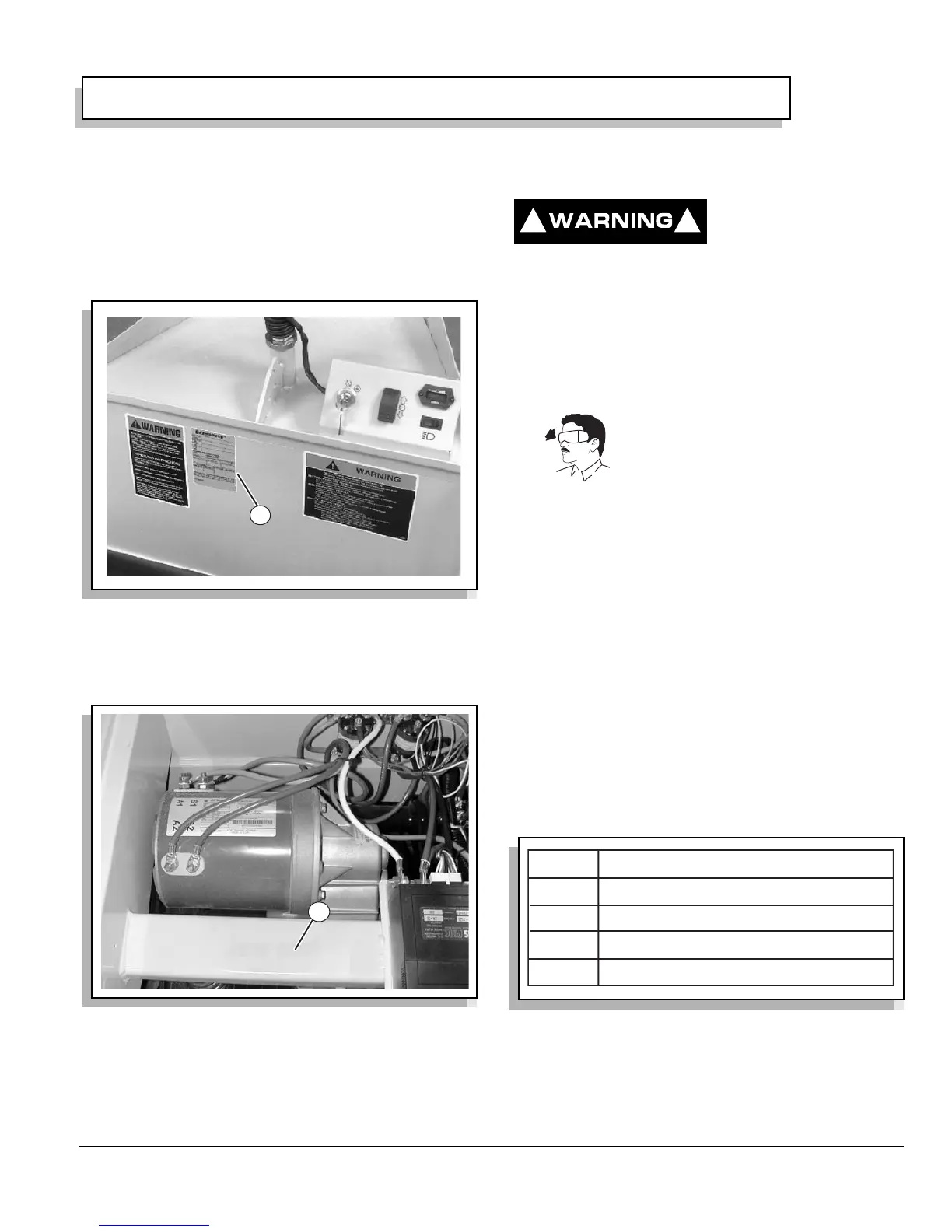
SERIAL NUMBER LABEL LOCATION
The product model number, model year and serial num-
ber must appear on all correspondence concerning this
unit. These identification numbers appear on the label
attached to the left side of the kick panel (Ref Fig. 1 on
page A-1).
1. Model Number, Model Year and Serial Number.
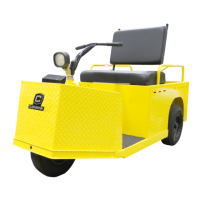
The vehicle serial number is located under seat (Ref Fig.
2 on page A-1).
1. Serial Numbers Under Seat.
SERVICING THE VEHICLE
To prevent severe injury
or death resulting from
improper servicing tech-
niques, observe the following:
Do not attempt any type of servicing operations
before reading and understanding all notes, cau-
tions and warnings in this manual.
Any servicing requiring adjustments to be made
to the powertrain while the motor is running must
be made with both drive wheels raised.
Wear eye protection when working on
the vehicle. In particular, use care
when working around batteries, or
using solvents or compressed air.
To reduce the possibility of causing an electrical
arc, which could result in a battery explosion, turn
off all electrical loads from the batteries before
removing any heavy guage battery wires.
To prevent the possibility of motor disintegration,
never operate vehicle at full throttle for more than
4 - 5 seconds while vehicle is in a “no load” condi-
tion.
It is in the best interest of both vehicle owner and servic-
ing dealer to carefully follow the procedures recom-
mended in this manual. Adequate preventative
maintenance, applied at regular intervals, is the best
guarantee for keeping the vehicle both dependable and
economical.
Before a new vehicle is put into operation, it is recom-
mended that the items shown in the INITIAL SERVICE
CHART be inspected (Ref Fig. 3 on page A-1).
Vehicle batteries must be fully charged before initial use.
Fig. 1 Model Number, Model Year and Serial Number
Fig. 2 Serial Numbers Under Seat
1
1
Fig. 3 Initial Service Chart
! !
ITEM
SERVICE OPERATION
Batteries
Charge batteries
Seats
Remove protective plastic covering
Brakes
Check operation and adjust if necessary
Tires
Check air pressure (see SPECIFICATIONS)
GENERAL INFORMATION & ROUTINE MAINTENANCE


 To Next Page