GENERAL INFORMATION & ROUTINE MAINTENANCE
Page A-5
Repair and Service Manual
Read all of Section B and this section before attempting any procedure. Pay particular attention to all Notes, Cautions and Warnings
Controls
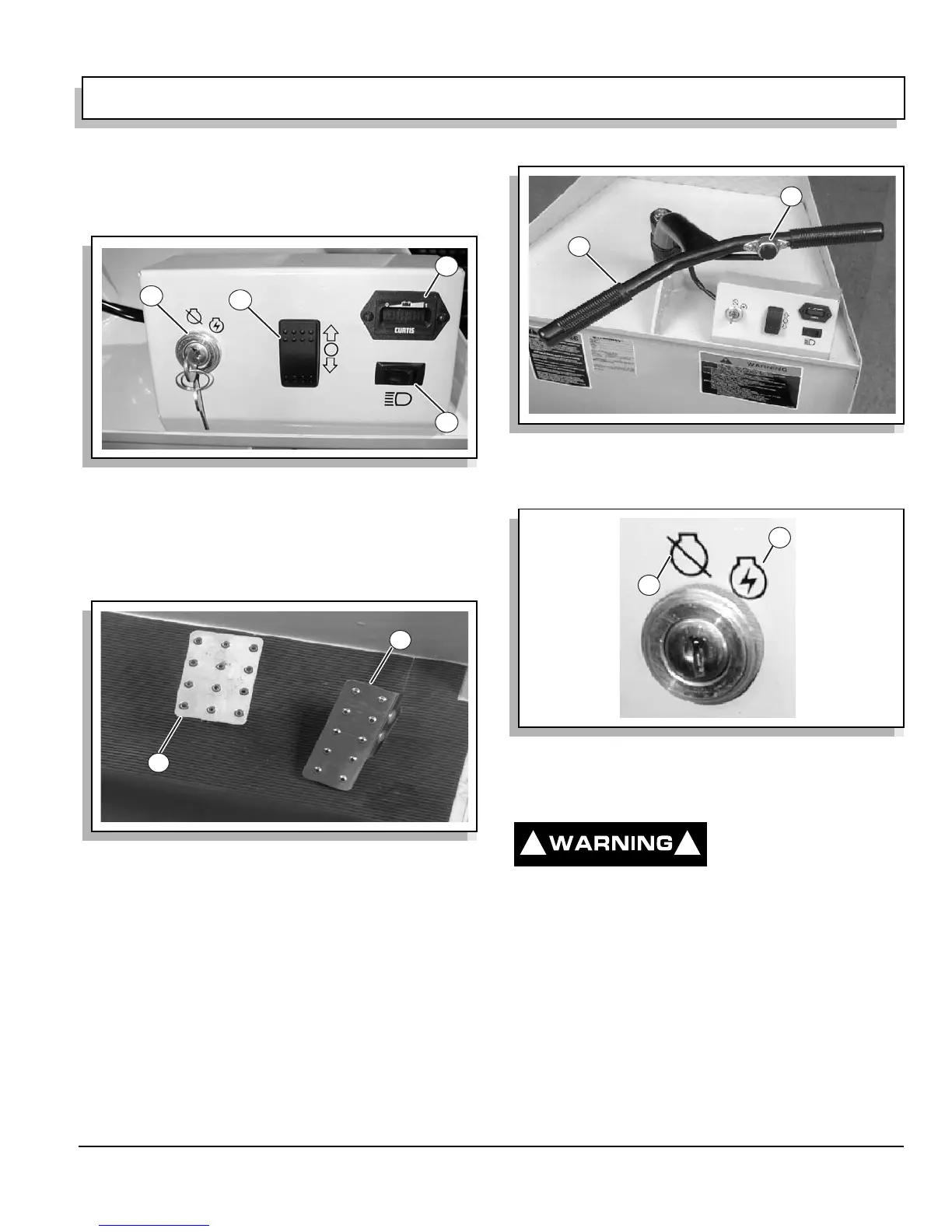
(Ref Fig. 9 on page A-5) and (Ref Fig. 10 on page A-5)
Controls on the dash and the floorboard.
1. Key Switch
2. Direction Selector Switch
3. Power On/Battery Condition Meter
4. Headlight Switch
1. Service/Parking Brake Pedal
2. Accelerator Pedal
(Ref Fig. 11 on page A-5) shows the horn button and
handlebar.
1. Handlebar
2. Horn
Key Switch
The key switch, located in the vehicle dash, supplies or
interrupts power to the vehicle electrical system.
ON POSITION: Supplies power
OFF POSITION: Interrupts power (Ref Fig. 12 on page
A-5)
1. On Position
2. Off Position
To prevent unexpected
vehicle movement or
unauthorized use,
always turn the key switch to the OFF position and
remove the key when the vehicle is not in use.
Direction Selector Switch
The direction selector switch, located on the dash panel,
controls the direction of vehicle movement. The panel is
marked with FORWARD, NEUTRAL and REVERSE
Fig. 9 Controls On Dashboard
Fig. 10 Controls On Floorboard
4
3
1
2
1
2
Fig. 11 Horn Switch
Fig. 12 Key Switch
1
2
2
1
! !


 To Next Page