12
with your physician about possible causes affecting your blood
pressure.
•
Do not inflate the cuff unless wrapped around arm.
•
When taking repeat measurements, make sure to select the same
user so that the measurements are recorded in the appropriate
memory.
•
If no button is pressed for one minute the automatic shut-off
function shuts off the unit in order to preserve the batteries.
•
Do not touch the unit, the tube and cuff and/or press any but-
tons when measurement is in progress, except for stopping the
measurement. Doing so may cause incorrect readings.
5.4.2 Taking Measurement
Note: If you are using the unit for the first time, please remove the
protective film from the display.
•
Put on the cuff around your bare left upper arm as described previ-
ously and assume the position in which you want to carry out the
measurement.
•
Using the buttons “+”, select the user memory 1 or 2. Start the
measurement process by pressing the button. After checking
the display with all digits lighting up, the monitor will automatically
inflate. During inflation the device already determines measured
values used to estimate the required inflation pressure.
Note:
This monitor will re-inflate automatically if the system detects
that your body requires more pressure for measurement.
•
Then the pressure in the cuff is slowly released, the heart rate icon
is flashing and the heart rate is measured. As the cuff deflates,
decreasing numbers appear on the display.
•
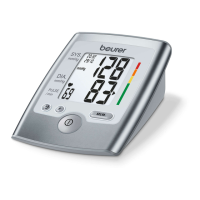
When the measurement has been completed, the cuff will deflate
entirely. The heart rate, the systolic and the diastolic blood pres-
sure with RISK CATEGORY INDICATOR bar are displayed.
•
You can interrupt measurement at any time by pressing the
button. The cuff will deflate immediately after the button is
pressed.
•
The E_ icon appears if it has not been possible to perform the
measurement properly. Observe the section in these instructions
on error messages/troubleshooting and repeat the measure-
ment.
•
The device switches off automatically after 1 minute.
Wait at least 5 minutes before taking another measurement.
6. Evaluating results
WARNING:
•
Thisproductdoesnotandisnotintendedtoprovideamedical
diagnosis.Measurementresultsareforreferenceonly.Selfdiag-
nosisandtreatment,e.g.regardingmedication,usingmeasured
resultsrepresentariskforyourhealth.Alwaysconsultwithali-
censedphysicianfordeterminationofappropriatemedication
anddosagethereof.Followtheinstructionsofyourphysicianor
licensedhealthcareprovider.Ifyouhaveorsuspectthatyouhave
amedicalproblem,promptlyconsultyourphysician.Ifyouhave
anemergencypleasecall911immediately.
•
Onlyaphysicianoratrainedhealthcareprofessionalwhoisfam-
iliarwithyourmedicalhistoryisabletoaccuratelyinterpretyour
bloodpressuremeasurements.Consultyourphysicianbefore
startingbloodpressuremonitoring.
•
Pleasenotethattechnicallyrelatedmeasuringtolerancesare
possible.Pleaseseesection“11.TechnicalSpecifications”for
details.
•
Ifyounoticeabnormalorsuspiciousvariationsinbloodpres-
suremeasurements,consultyourphysicianimmediately.


 To Next Page