©2020 Cyber Power Systems (USA), Inc. All rights reserved. All other trademarks are the property of their respective owners.
9
ELECTRICAL INSTALLATION CONT.
1 2
CONNECT L6-30P POWER CORD FOR MBP63A2 TO 5K/6K UPS OUTPUT
CONNECTION AND CONNECT L6-30R POWER CORD FOR MBP63A2 TO 6K UPS
INPUT CONNECTION
[NOTE] MBP63A2 to 5K/6K UPS input and output connection should using L6-30R/L6-30P power
cord which is an accessory in box.
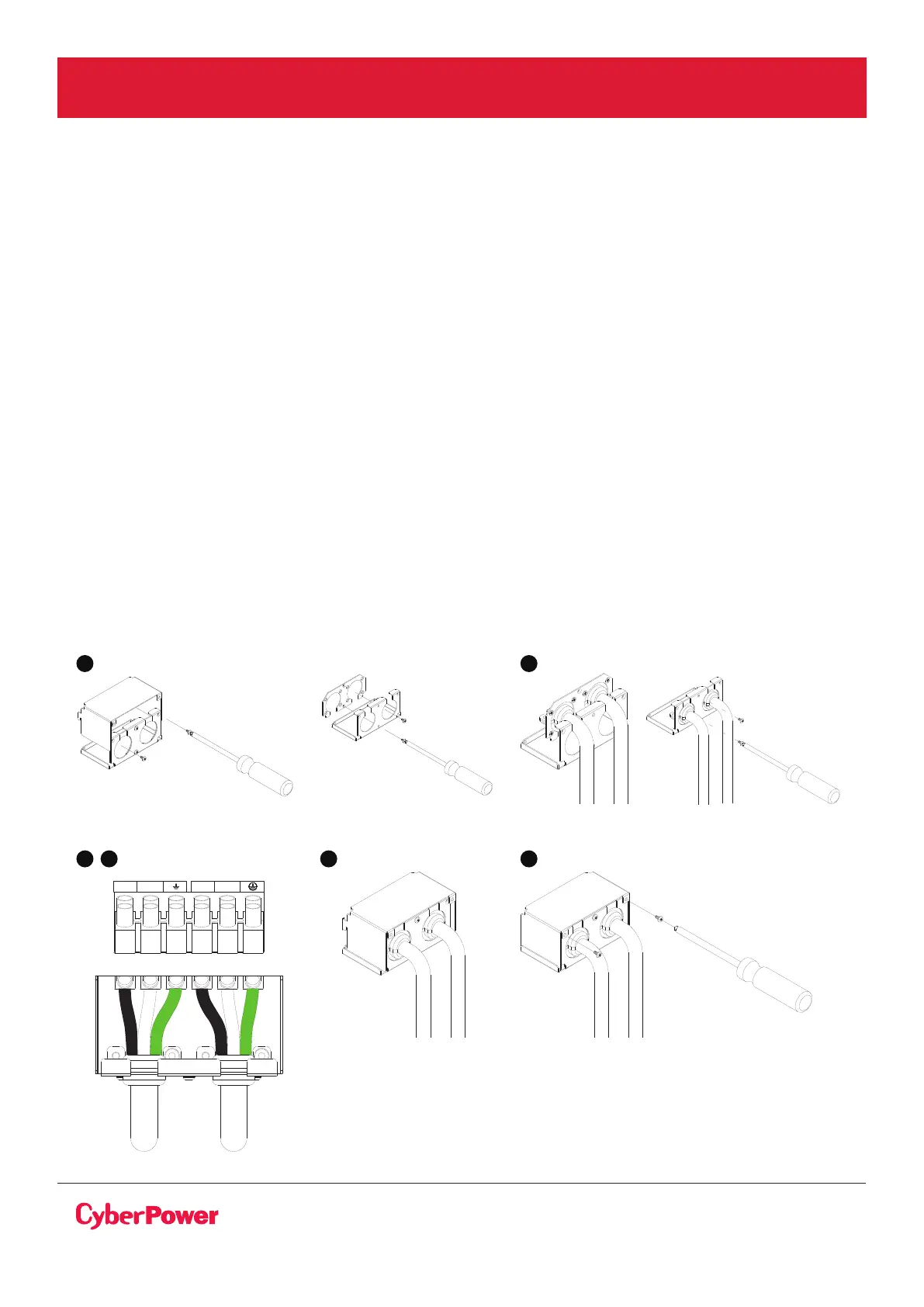
1. Separate the top and bottom covers by loosening the two screws to separate the top and
bottom covers.
2. Put the L6-30P power cord and the L6-30R power cord into the bottom cover. Screw the power
cord cover with the bottom cover and fix the terminal block bottom cover on the MBP.
3. Connect three wires L1, L2 and Ground of L6-30P power cord to the “FROM UPS OUTPUT”
terminal block. (for connection to UPS output)
.
4. Connect three wires L1, L2 and Ground L6-30R power cord to the “UPS NORMAL AC SOURCE”
MBP terminal blocks. (for connection to UPS input).
5. Put the terminal block Top cover and tighten the two screws to cover terminal.
6. Tighten the cable glands.
L1 L2 L1 L2
UPS
INPUT
UPS
OUTPUT
FROM UPS OUTPUT TO UPS NORMAL AC SOURCE
3 4 5 6



 To Next Page