22
MR500 View
4.2 Driver Log On / Off
This menu entry allows a driver to log on and off the taximeter. The purpose of driver log on is
to prevent unauthorised use of the taximeter. If there is no driver logged on to the meter, it will
not allow you to enter HIRED mode at the beginning of the journey, but will instead ask for the
‘Totals PIN’.
If the display already displays ‘DRIVER LOG OFF’ then you are already logged into the meter.
Pressing SELECT will log you off the meter.
If the display reads ‘DRIVER LOG ON’ then you are not logged on and you need to press
SELECT to log on to the meter.
The MR500 View will then require you to enter your PIN. You can use either of two PINs to log
onto the meter.
Ÿ The Totals PIN
Ÿ The User Totals PIN
See section 5 and 6 for more information on using the Totals Systems available to you.
This option is not present for all ‘Totals Systems’. Where it is
present, its exact behaviour depends on the options selected in the
tariff.
If this item does not appear on your meter, then you do not need to
log on or off to make it work. See sections 4.8 and 5.3.
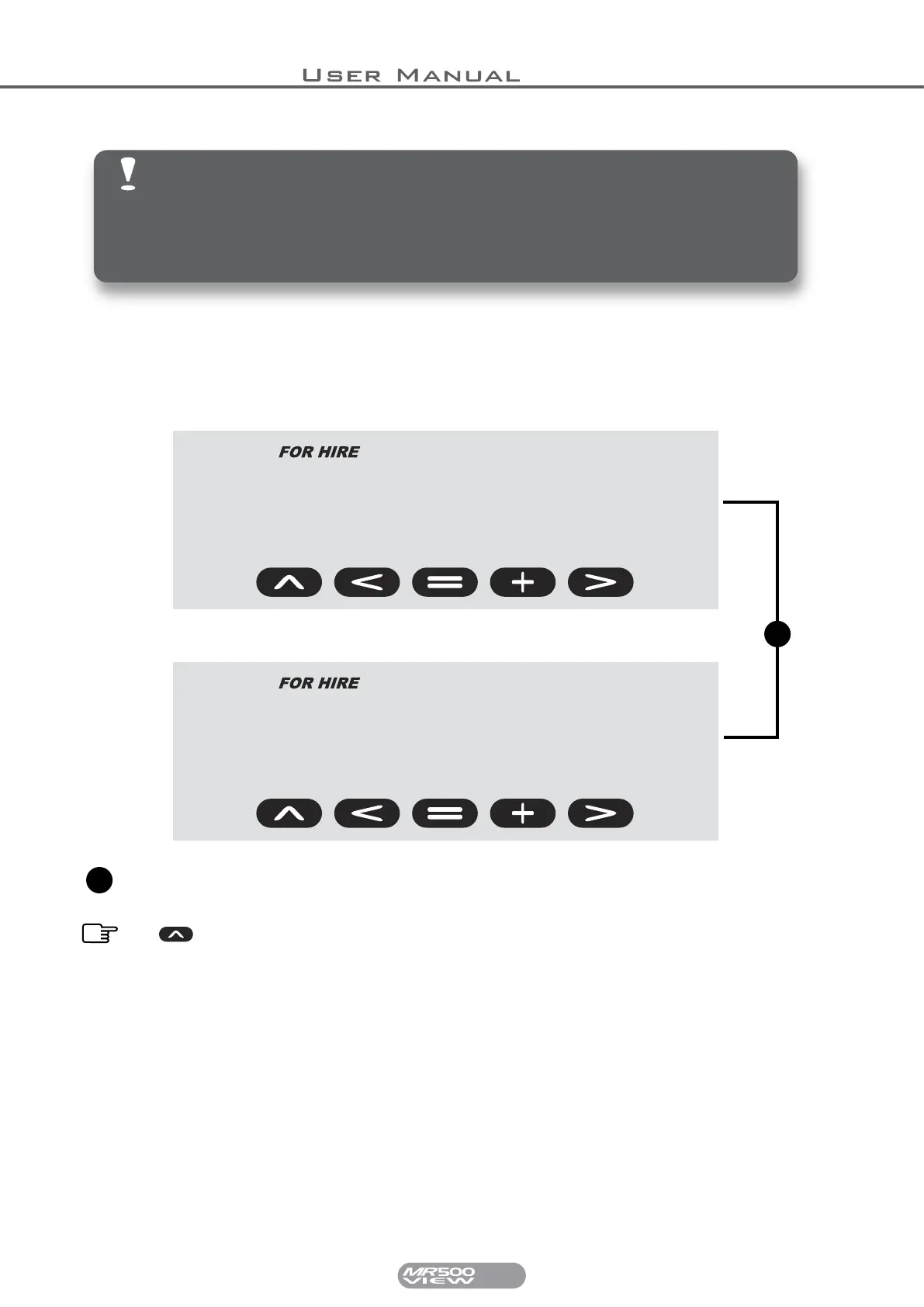
driver
log
driver
on
1
This part of the display will alternate between LOG and ON or LOG and OFF
depending on whether the driver is currently logged off or on.
Press SELECT to alternate between LOG ON or LOG OFF.
1


 To Next Page