40
MR500 View
4.6.3 Pulse Check
This menu entry allows you to display a count of the pulses received from the vehicle.
The Pulse Check facility can be used to perform a reasonably accurate test of your calibration
value. This can be achieved by performing the following:
Ÿ Begin in a stationary vehicle
Ÿ Reset the pulse count to zero
Ÿ Press SELECT to start pulse count (PULS should be flashing)
Ÿ Drive for exactly one mile / km
Ÿ Press TOTAL to pause the pulse count.
Ÿ Record the value shown on the display.
This value should match the value shown in the calibration setting (see section 4.6.2). There
may be some minor difference in these values - due to the accuracy of stopping the pulse
count exactly on one mile / km. If the difference is high (perhaps >10% difference) then you
should contact your dealer and have your MR500 View calibrated.
The ‘Pulse Check’ facility can be a very useful tool for checking the
pulse signal from your vehicle without having to remove any seals.
0
puls
1 2
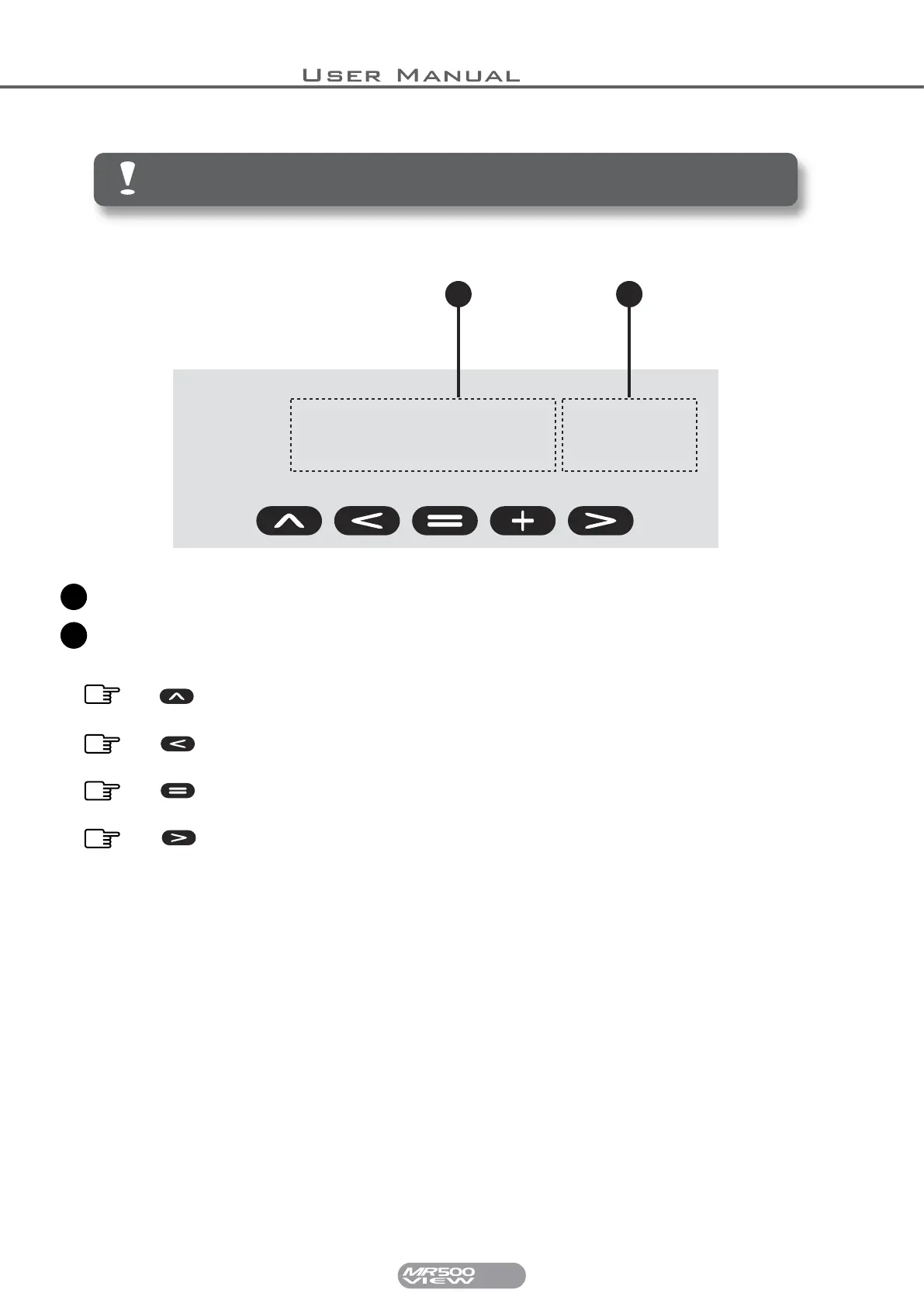
Indicates the number of pulses counted so far.
The text ‘PULS’ flashes when the pulses are being counted.
1
12
Press SELECT to begin the count. Press SELECT again to reset the
count
Press REVERT to finish counting pulses and return to the Vehicle
Options menu.
Press TOTAL to hold the pulse count. Press it again to continue the
count.
Press MODE to return to FOR HIRE mode.


 To Next Page