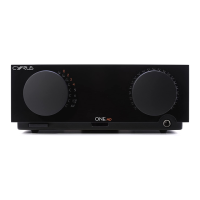
Cyrus ONE User Instrucons
9
Power
Power is controlled by the mains power buon under the
front panel.
Press the buon to switch the amplier on. Press again •
to switch the amplier o.
When the amplier is switched on the front panel indicators
for source and volume level will light.
Playing Bluetooth® devices
Mulple devices
The Cyrus ONE can pair with up to 3 Bluetooth sources.
Most sources that have been paired will automacally re-
connect when in range, up to the 3 source maximum.
First me use/pairing
Set the source selector to the •
posion.
A Bluetooth scan will start.
If no Bluetooth sources are connected to Cyrus ONE, the
Bluetooth indicator will ash.
Acvate • Bluetooth mode on the source.
If the source is a phone, Bluetooth mode will normally be in
the connecvity secon of the sengs menu.
If the source is a computer, Bluetooth sengs should be in
the control panel.
In the Bluetooth menu of the source, there should be an
opon to search for Bluetooth devices.
Select this opon.•
The source will now scan for Bluetooth devices and should
nd the unit, idened as ‘Cyrus ONE’, followed with a serial
number.
Choose to pair with this.•
Your Bluetooth source will now connect.
NOTE: If the device features Bluetooth technology earlier
than V2.1, you will be asked for a password.
If so, enter 0000.•
If the source connects successfully, the Bluetooth indicator
will stop ashing.
Pairing addional devices
Follow the previous secon to pair each addional source.
NOTE: If a Bluetooth source is already connected the
Bluetooth indicator will not ash, but the Cyrus ONE will
remain discoverable to other Bluetooth sources unl the
maximum of 3 sources are connected.
Re-connecng
Some devices will re-connect when next in range, others
may require manual connecon.
Playing music
Once your device is connected you can select the music you
want to play from the device and set the volume level etc.
at the amplier.
When mulple devices are connected, the device that is
playing will generally hold the Bluetooth channel unl play
stops. Some devices, parcularly computers, may hold the
Bluetooth channel aer play stops. In this case the device
will need to be disconnected before playing another.



 To Next Page