Cyrus ONE User Instrucons
10
Balance
The balance seng will make one speaker louder than the
other. Use the balance sengs to equalise the speaker
volumes if you sit closer to one speaker than the other.
Press the BAL L or BAL R buon on the remote control to •
move the channel balance to the le or right.
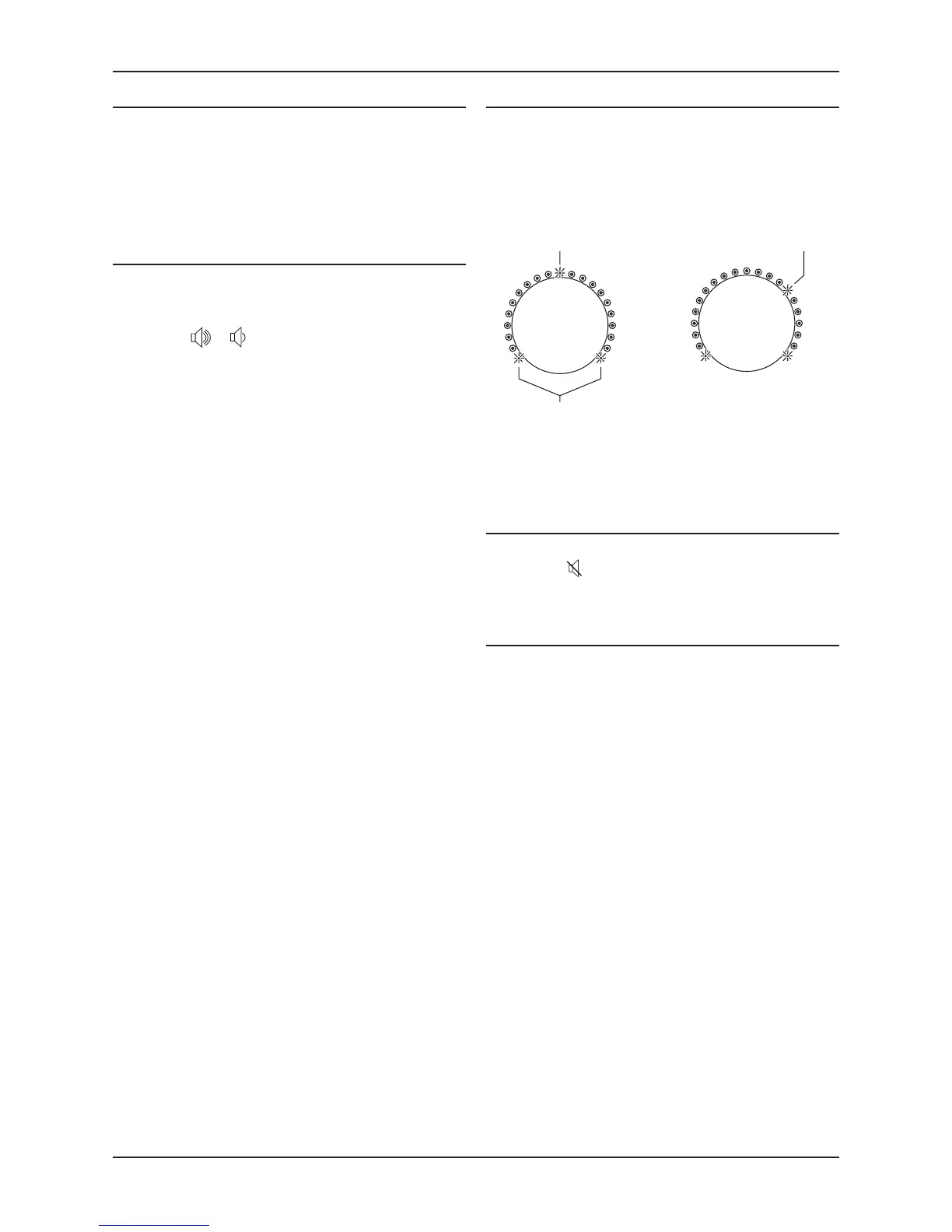
Indicates that balance
is displayed
Balance is centred
Balance is oset
4dB to the right
Balance can be moved by up to 9dB in each direcon. When
turned beyond 9dB to the le or right, only the selected
channel will play.
Mute
Mute will temporarily mute all sound from the speakers.
Press the •
buon on the remote control to mute the
sound. Press again to return to the volume previously
set.
Listening through headphones
Plug the headphones into the front panel headphone •
jack.
The speakers will switch o and music will play through
headphones.
Warning: Excessive sound pressure from earphones and
headphones can cause hearing loss.
NOTE: The volume will reduce to a low level when you
unplug headphones and return to speaker listening.
Playing other sources
Set the source selector to the source you want to hear •
or
Press a direct select source buon on the remote •
control,
Set the source to play.•
Set the volume to the level you want.•
Volume
Turn the volume control clockwise to increase the •
volume or an-clockwise to reduce the volume.
or
Press the •
or buon on the remote control to turn
the volume up or down.
The volume indicators will show the volume level.



 To Next Page