Cyrus ONE User Instrucons
11
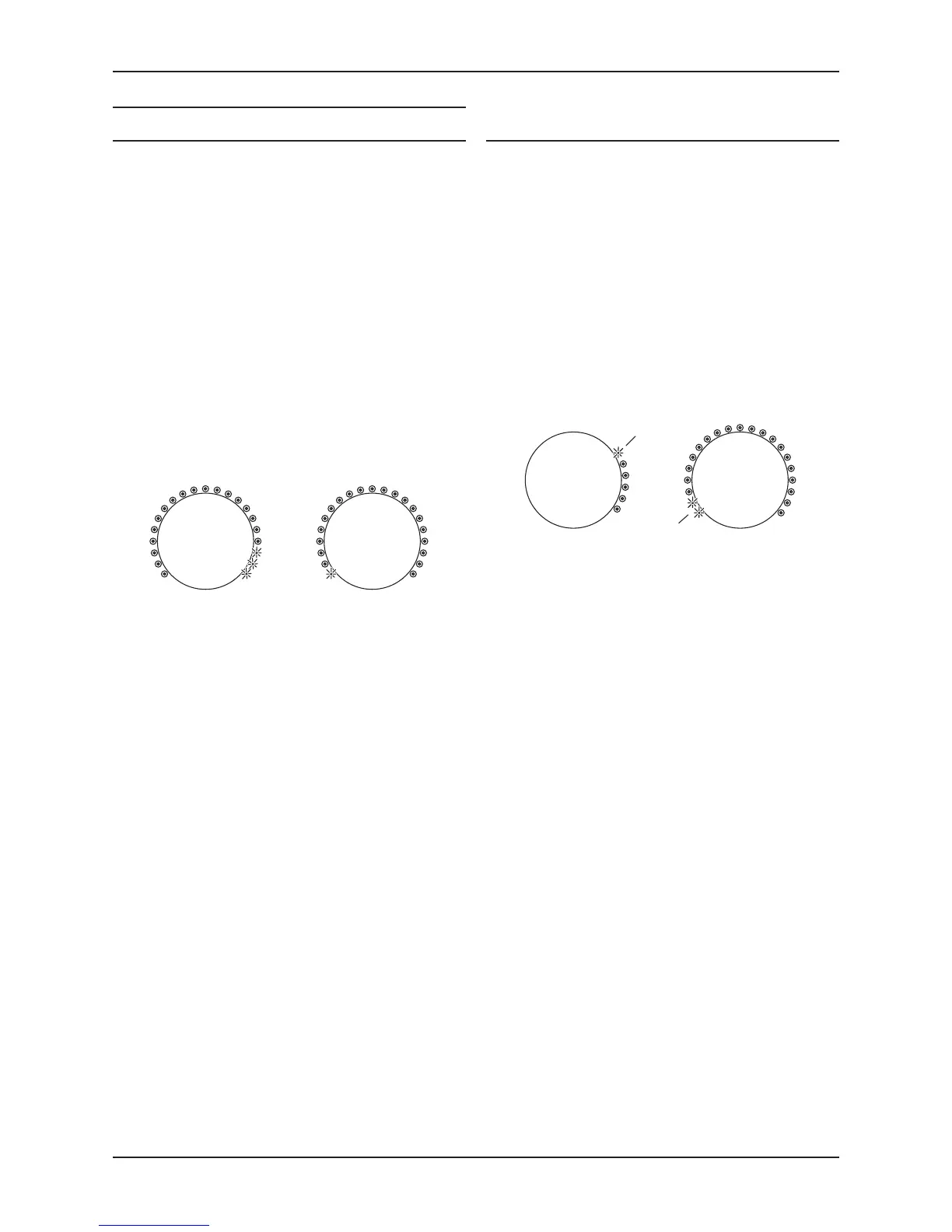
AV Direct mode is not setAV Direct mode is set
Press AV on the remote repeatedly to switch AV Direct •
mode on or o.
When you have nished changing the seng, press AV •
DIR to save and exit.
If no changes are made to the AV direct seng, the AV source
light will stop ashing to indicate that normal operaon has
resumed.
Connecng to a Home Cinema decoder
Connect the front le and right channels of the Home
Cinema decoder to the AV sockets on the Cyrus ONE.
In Use
Select AV when playing a movie and a xed volume seng
will be applied. The front channel sound will play through
the Cyrus ONE.
Volume operaon will return to normal when another input
is selected.
ADVANCED OPERATION
AV Direct mode
When AV Direct mode is set, the Cyrus ONE switches to work
as a power amp. This means you can use Cyrus ONE as high
quality front channel drive for a Home Cinema system.
CAUTION: Seng AV Direct mode will x the volume control
at a high level whenever the AV source is selected. Use this
seng only when the AV input is connected to the front
channels of an AV Home Cinema decoder, or with other
sources that include a volume control.
Seng AV Direct mode
AV Direct mode can only be set within 10 seconds of
switching on the Cyrus ONE. The seng is changed from the
remote control using the AV DIR and AV buons.
Switch on the power.•
Select the AV source.•
Within 10 seconds, press AV DIR on the remote.•
The AV source indicator will ash and the volume indicators
will show if AV Direct is set.
Factory reset
Factory reset will clear all sengs including -
Last used volume and source sengs.•
Stored balance seng (restored to central seng).•
• Bluetooth pairing list.
AV Direct mode seng (when set).•
Reseng the Cyrus ONE
Factory reset can only be selected within 20 seconds of
switching on the Cyrus ONE.
Switch on the power.•
Within 20 seconds, press MUTE on the remote control •
5 x mes.
At this stage, the rmware version will be displayed. V1.2 is
shown in the example.
To proceed with factory reset, press MUTE on the remote •
control once more.
All indicators will ash twice to conrm.



 To Next Page