Cyrus ONE User Instrucons
6
Important – read before connecng anything
Always disconnect all system components from the mains
before changing any connecons. Connect the mains when
everything is hooked up.
When connecng sources avoid the use of long interconnects
which may degrade sound quality. The maximum length
advised is 3m.
What can I connect?
You can play sound from Bluetooth sources such as a phone
or a computer.
You can connect a vinyl turntable. It must have a Moving
Magnet cartridge. Moving Coil cartridges are not
compable.
You can connect up to 4 x line analogue audio sources such
as CD or DVD players, TVs or satellite boxes.
Connect a turntable
The turntable will have a cable with two plugs, and oen a
thin ground wire with a tag.
Connect the plugs to the •
sockets on the back panel.
Connect the white plug to the le socket and the red
plug to the right socket.
Unscrew the ground •
terminal then fasten the ground
wire under the terminal.
Connect line audio
If you have line audio sources you can connect them to any
of the inputs - 3, 4, 5 or AV.
Connect a stereo phono interconnect (not supplied) •
from the outputs of the source to one of these inputs on
the back panel.
Connect the white plugs to the le sockets and the red •
plugs to the right sockets.
If the source has surround-sound (DVD player etc), check
that the source is set to work in two channel mode.
Connect headphones
Connect headphones to the jack on the front panel. When
headphones are connected to the amplier, the speakers
will switch o.
The headphone socket is a standard 1/4” (6.35mm) stereo
jack. Converters are readily available If you want to use
headphones with a smaller (3.5mm) jack.
Connect mains power
When you have nished all other connecons, connect
mains power.
Connect the socket on the power cable to the power •
inlet on the rear panel of the amplier. Now connect the
cable to a mains outlet.
NOTE: The means to disconnect this product from the mains
supply is the mains plug. Ensure that the mains plug is
accessible at all mes.
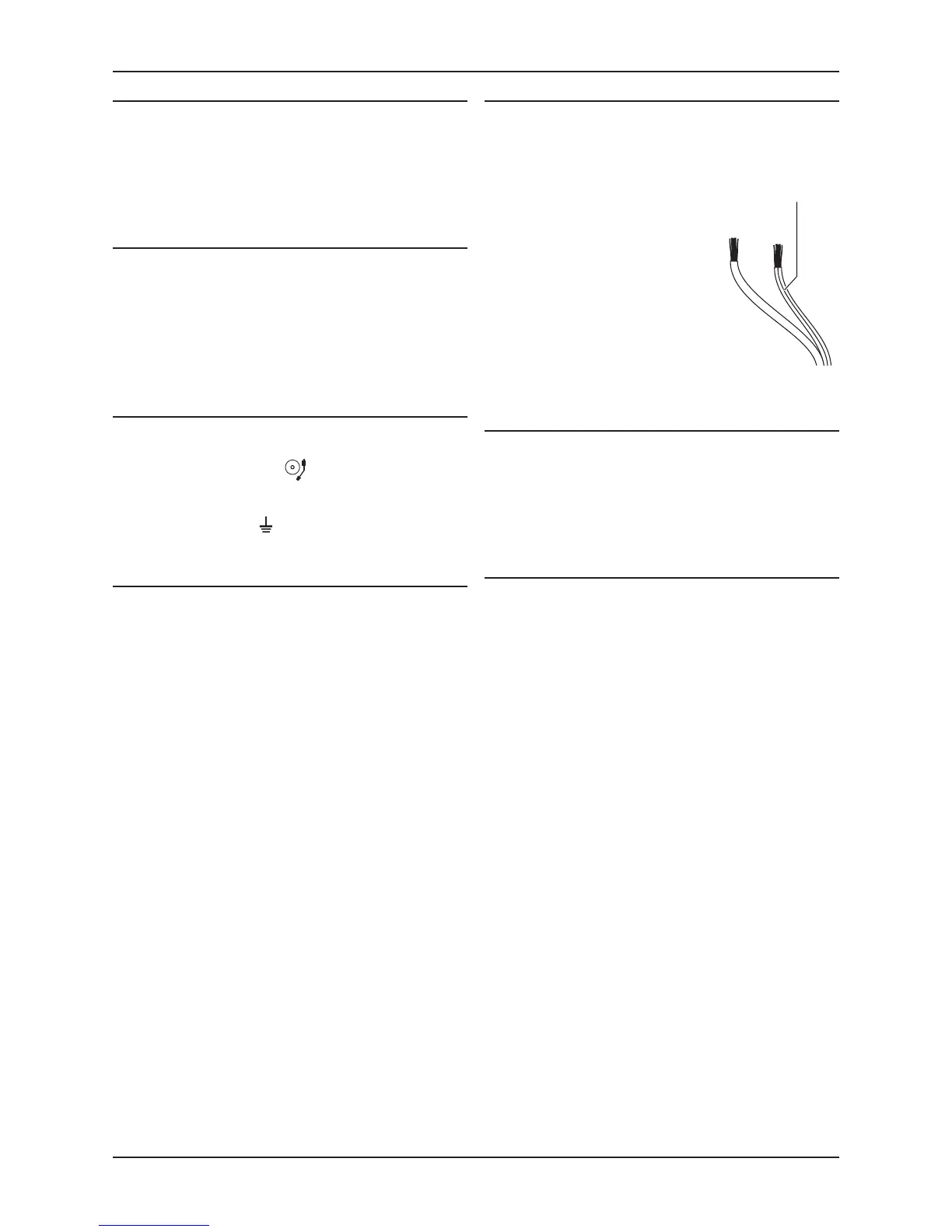
Speaker cables will have a polarity •
indicator. This is usually a stripe
or rib on the wire to show the red
connecon.
Connect the striped wire to the •
red terminal at each end, then
connect the other wire to the
black terminals.
Make sure the le speaker is
connected to the le terminals at the
amplier (and right to the right).
polarity
Connect speakers
The amplier and speaker have red and black speaker
terminals. Make sure the red terminal on the amplier
connects to the red terminal on the speaker (and black to
black).



 To Next Page