DIR-842V2 AC1200 Wi-Fi Gigabit Router
User Manual
Configuring via Web-based Interface
MAC Filter
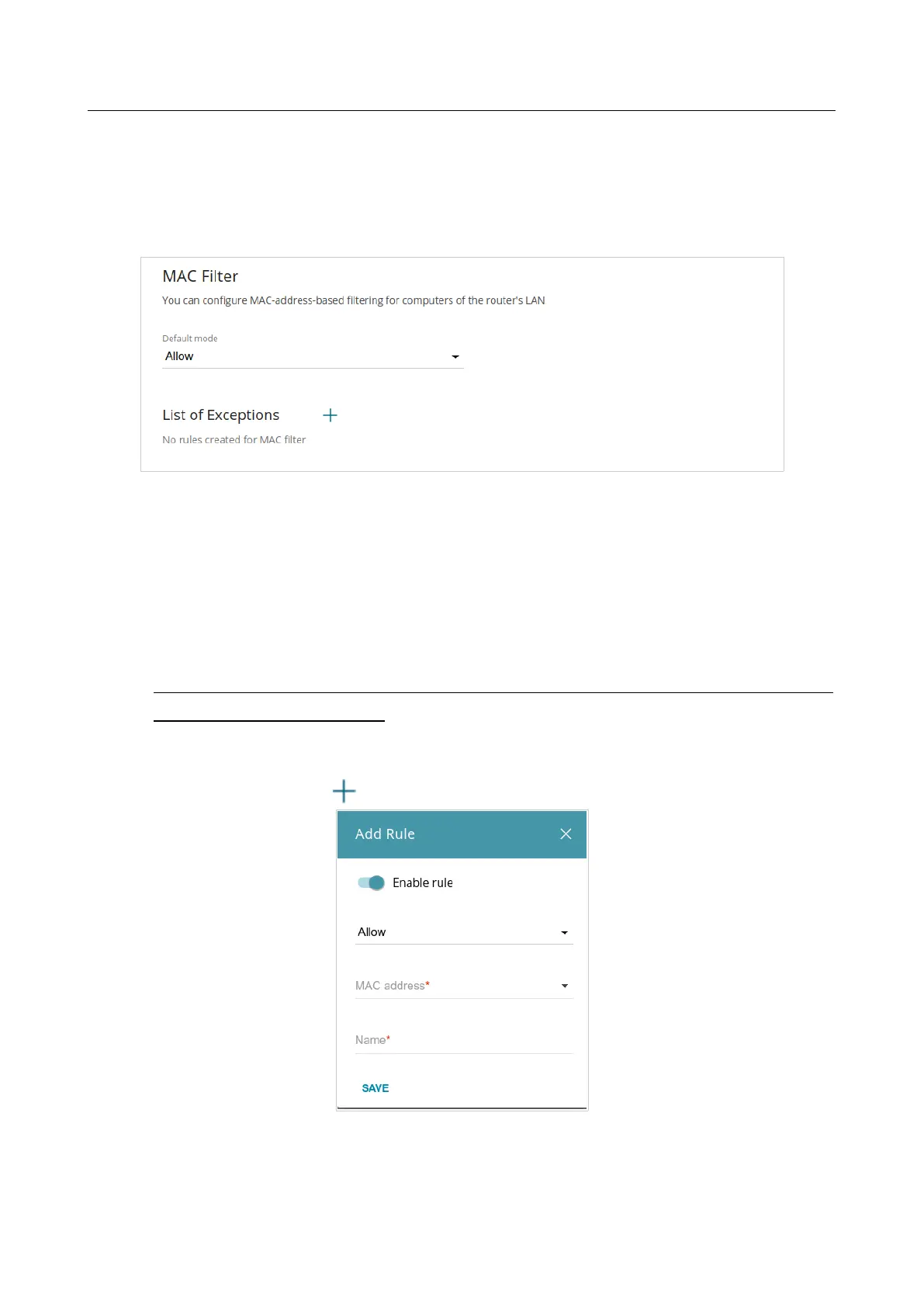
On the Functions / Firewall / MAC Filter page, you can configure MAC-address-based filtering
for computers of the router's LAN.
Figure 131. The Functions / Firewall / MAC Filter page.
Select the needed action from the drop-down list in the Default mode section to configure
filtering for all devices of the router's network:
• Allow: Allows access to the router's network and to the Internet for devices (the value is
specified by default);
• Deny: Blocks access to the router's network for devices.
!
You can use the Deny mode only if an active rule which allows access to the device's
network is created on the page.
To create a rule (specify a MAC address of a device for which the specified filtering mode will be
applied), click the ADD button ( ).
Figure 132. The window for adding a rule for the MAC filter.



 To Next Page