DIR-842V2 AC1200 Wi-Fi Gigabit Router
User Manual
Configuring via Web-based Interface
Dynamic DNS
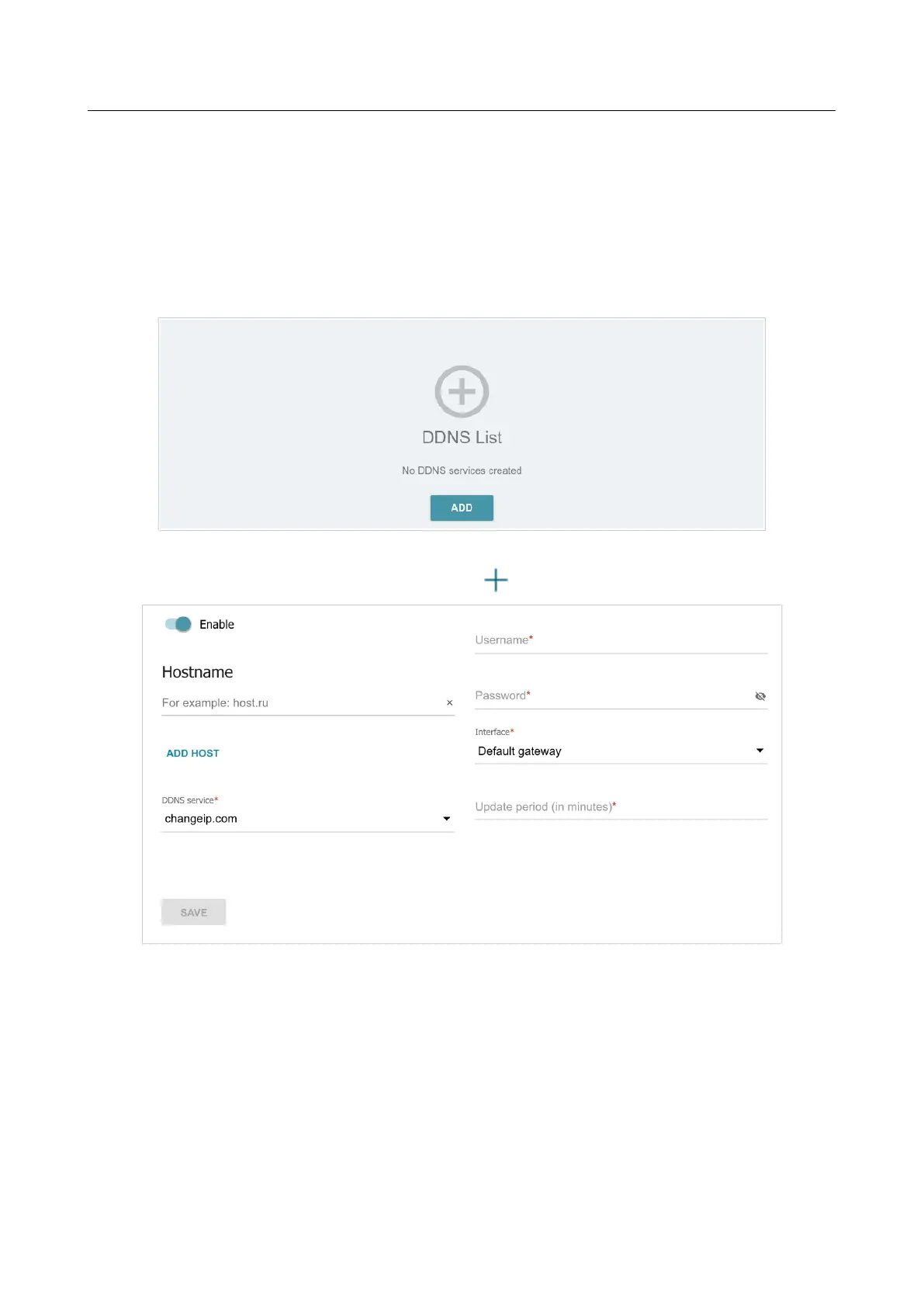
On the Functions / Advanced / Dynamic DNS page, ou can configure the router to use one or
several DDNS services.
A DDNS service allows associating a domain name with dynamic IP addresses. In order to use a
service, it is necessary to register a domain name on the web site of your DDNS provider.
Figure 154. The Functions / Advanced / Dynamic DNS page.
To add a new DDNS service, click the ADD button ( ).
Figure 155. The page for adding a DDNS service.



 To Next Page