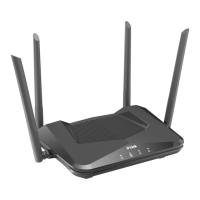
DIR-842V2 AC1200 Wi-Fi Gigabit Router
User Manual
Configuring LAN Ports for IPTV/VoIP. .......................................................................................... 63
Changing Web-based Interface Password. ..................................................................................... 65
Settings / Internet. ..................................................................................................................................... 67
WAN. .................................................................................................................................................................... 67
Creating Dynamic IPv4 or Static IPv4 WAN Connection. ............................................. 69
Creating Dynamic IPv6 or Static IPv6 WAN Connection. ............................................. 72
Creating PPPoE WAN Connection. ................................................................................................. 76
Creating PPTP, L2TP, or L2TP over IPsec WAN Connection. ...................................... 81
Creating PPPoE IPv6 or PPPoE Dual Stack WAN Connection. ...................................... 86
VLAN. ................................................................................................................................................................. 92
DNS. .................................................................................................................................................................... 95
Settings / WAN Failover. ......................................................................................................................... 97
Settings / Wireless network. ............................................................................................................ 100
Settings / Network. .................................................................................................................................. 110
IPv4. .......................................................................................................................................................... 110
IPv6. .......................................................................................................................................................... 116
Functions / Firewall. ............................................................................................................................. 120
IP Filter. .................................................................................................................................................. 120
DMZ.
................................................................................................................................................................. 124
MAC Filter. ................................................................................................................................................ 126
AdBlock. ....................................................................................................................................................... 128
Functions / Wi-Fi. .................................................................................................................................... 129
Client Management. ............................................................................................................................... 129
WPS. ................................................................................................................................................................. 130
Using WPS Function via Web-based Interface. ............................................................... 132
Using WPS Function without Web-based Interface. ...................................................... 132
WMM. ................................................................................................................................................................. 133
Client. .......................................................................................................................................................... 135
Client Shaping. ....................................................................................................................................... 137
Additional. ................................................................................................................................................ 139
MAC Filter. ................................................................................................................................................ 143



 To Next Page