DAP-1150 Wireless Access Point Supporting Router Mode
User Manual
Configuring Device (Router Mode)
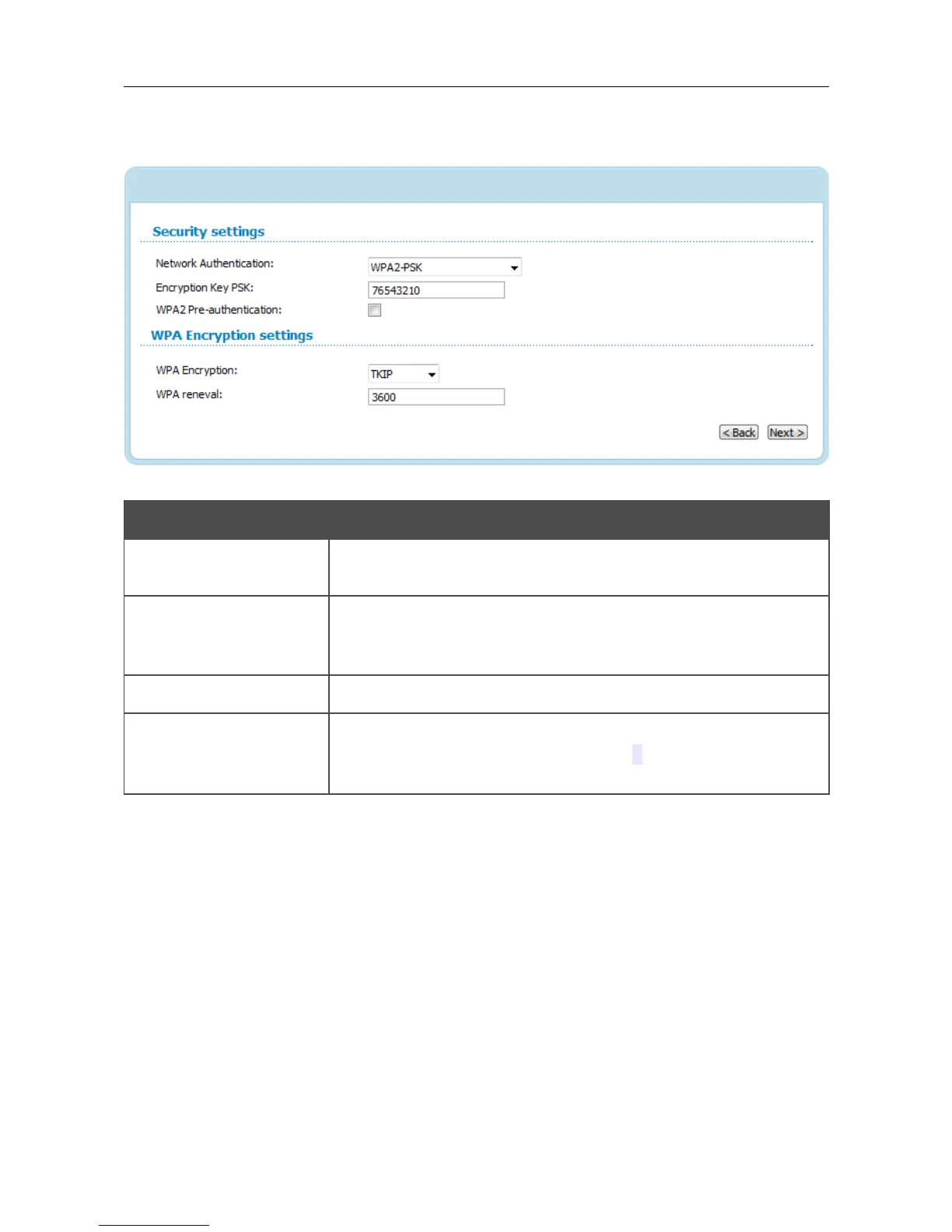
When the WPA-PSK, WPA2-PSK, or WPA-PSK/WPA2-PSK mixed value is selected, the
WPA Encryption settings section is displayed:
Figure 91. The WPA2-PSK value is selected from the Network Authentication drop-down list.
Parameter Description
Encryption Key PSK
A key for WPA encryption. The key can contain digits and/or Latin
characters.
WPA2 Pre-
authentication
The checkbox activating preliminary authentication (displayed only
for the WPA2-PSK and WPA-PSK/WPA2-PSK mixed
authentication types).
WPA Encryption An encryption method: TKIP, AES, or TKIP+AES.
WPA renewal
The time period (in seconds), at the end of which a new key for WPA
encryption is generated. When the value 0 is specified for this field,
the key is not renewed.
Page 98 of 175















 To Next Page